Driver Information Display
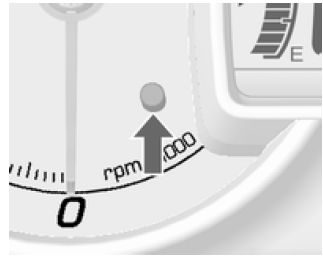
If the vehicle is not equipped with a driver information display (DIC), briefly press the trip reset button on the instrument cluster to select the menu.
Each press of the reset button changes the display mode in the following order (actual order may differ): Clock → Outside temperature → Odometer → Trip odometer → Clock → Unit selection → Language settings...
Clock, odometer, trip computer.
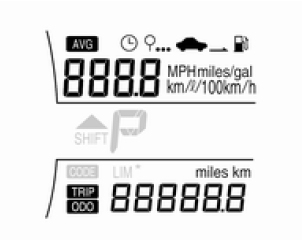
The driver information display (DIC) is located in the instrument cluster.
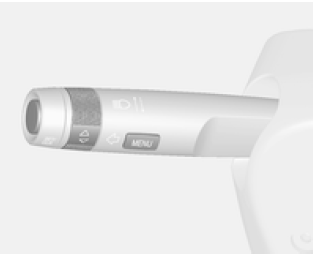
To select the settings menu, press the MENU button on the turn signal lever.
The following options are available:
- Engine oil life indicator
- Unit selection
- Language settings
Select individual menus by turning the thumbwheel on the turn signal lever.
Engine oil life indicator
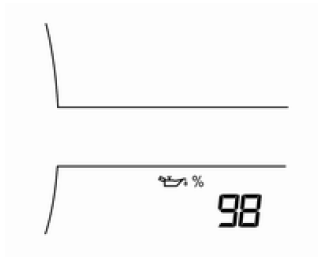
Displays the approximate remaining engine oil life.
If 98 is displayed, 98% of the engine oil life remains.
When the remaining engine oil life is low, message code 82 (Engine oil change soon) appears on the driver information display (DIC). Change the engine oil as soon as possible.
After changing the engine oil, reset the engine oil life system. To reset the system, press and hold the SET/CLR button for a few seconds.
Engine oil life system.
Unit selection
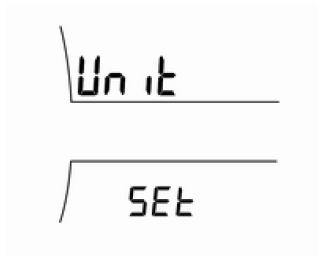
Press the SET/CLR button for a few seconds.
Select one of the settings by turning the thumbwheel:
- United Kingdom (MPH, C)
- United States (MPH, F)
- Europe (km/h, °C)
When changing units, the selected unit flashes.
To confirm the selection, press the SET/CLR button.
Language settings
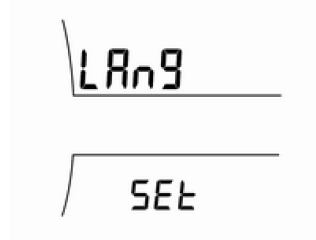
Press the SET/CLR button for a few seconds.
Select one of the settings by turning the thumbwheel:
- Alphabet
- Arabic numerals
When changing units, the selected unit flashes.
To confirm the selection, press the SET/CLR button.
Note If the turn signal lever does not have the appropriate buttons, individual menus can be selected by briefly pressing the reset button on the instrument cluster. Pressing and holding this button confirms the settings.
Test yourself
A quick Chevrolet Aveo quiz: every answer comes with an explanation and a link to the manual page.