Connecting External Devices
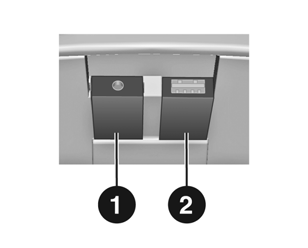
AUX and USB ports for connecting external audio devices are located under the center console cover.
These connectors must always be kept clean and dry.
Auxiliary Input
For example, a portable CD player with a 3.5 mm connector can be connected through the AUX 1 input.
Audio Source Control
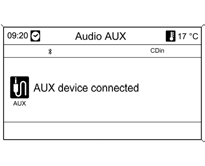
The audio source connected to the AUX input can only be controlled using the controls on that source.
USB Port
An MP3 player or USB drive can be connected to USB port 2.
Important Information
Connected MP3 players and USB drives must comply with the USB Mass Storage Class (USB MSC) specification.
Only MP3 players and USB drives with a 512-byte sector size in the FAT file system are supported.
Hard disk drives (HDD) are not supported.
The maximum length of a USB drive is 70 mm. A longer device may be damaged when the armrest is folded.
USB Data Source Control
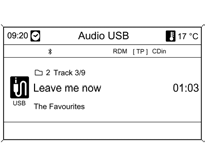
USB data sources are controlled using the infotainment system in the same way as MP3 audio discs.
iPod Connection and Control
An iPod can be connected to the infotainment system.
The controls and menus of the infotainment system are used to operate this device.
Supported iPod Models
iPod nano (1st/2nd/3rd generation)
iPod with video (5th/5.5th generation)
iPod classic (6th generation)
iPod touch
Problems with device control and operation may occur in the following situations:
When an iPod with a later software version than the version supported by the infotainment system is connected.
When an iPod with third-party software (such as Rockbox) is connected.
Connecting an iPod
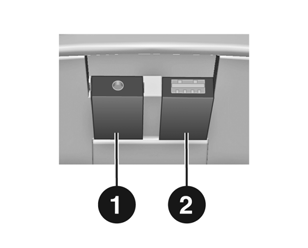
Connect the iPod USB cable to USB port 2.
Controlling the iPod
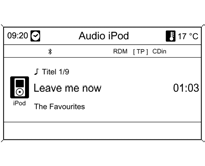
The iPod connected through USB is controlled using the infotainment system in the same way as MP3 audio discs.
Only the specific or additional aspects of iPod control are described below.
iPod Functions
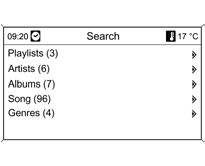
Depending on the stored data, various options are available for selecting and playing tracks.
To display the available options, press the multifunction knob, then select Search.
The search in the device may take several minutes. During this time, the last radio station that was playing will continue to be received.
Test yourself
A quick Chevrolet Cruze quiz: every answer comes with an explanation and a link to the manual page.