Do not operate the information display controls when the vehicle is moving. Note: The information display will remain on for several minutes after you switch off the ignition.
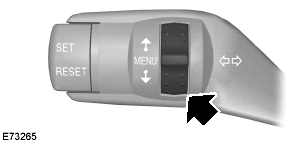
Various systems on your vehicle can be controlled using the multi-function lever on the steering column. Corresponding information is displayed in the information display.
For detailed instructions on navigation, refer to the appropriate manual.
Controls
Use the rotary control:
Type 2 and 3 • to scroll through the trip computer displays.
• to scroll through and highlight the options within a menu.
Note: To scroll automatically, hold the rotary control in the upward or downward position.
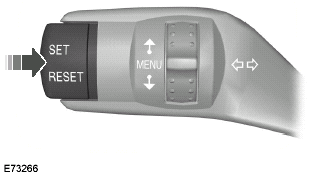
Press the SET/RESET button to:
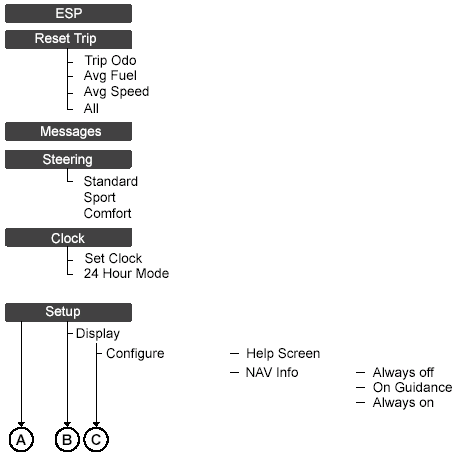
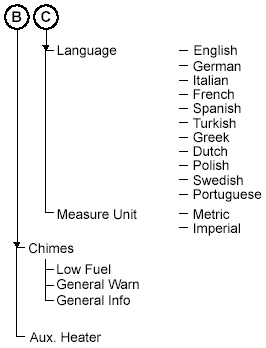
• enter the main menu from the trip computer displays. • enter a sub-menu. • exit a menu.
• choose and confirm a setting.
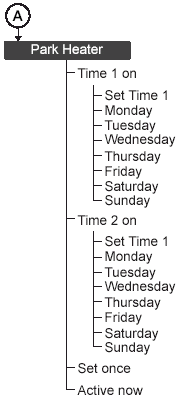
Note: If the chimes are activated, a short tone will sound each time the button is pressed.Menu structure
?
Test yourself
A quick Ford Focus quiz: every answer comes with an explanation and a link to the manual page.