Information displays
Information messages
In this manual: Information displays
~1min read


Press the SET/RESET button to acknowledge and remove some messages from the information display.
Other messages will be removed automatically after a short time.
Certain messages need to be confirmed before you can access the menus.

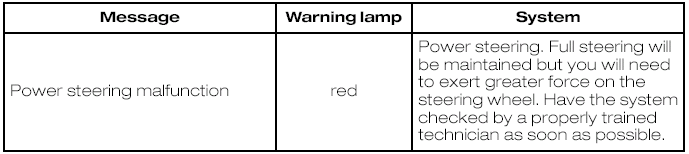
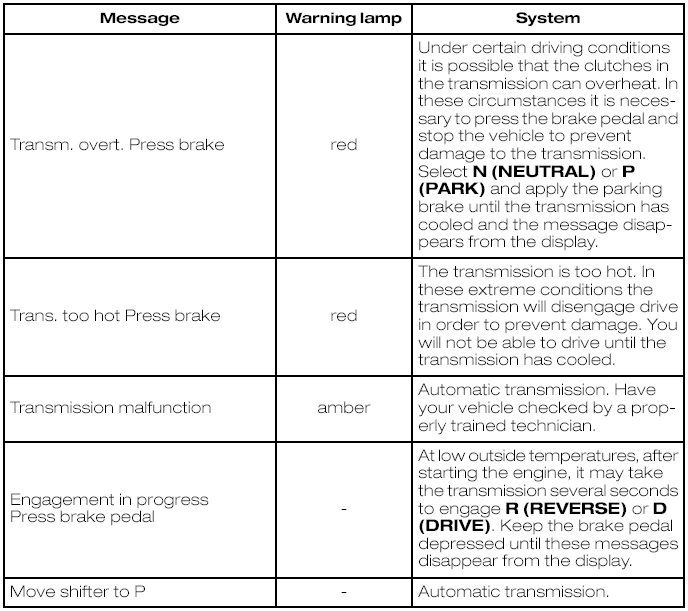
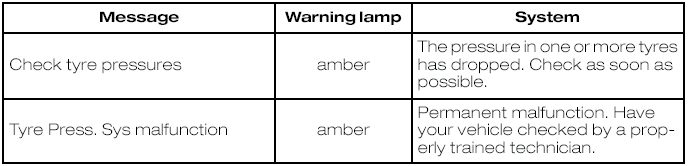
The message indicator illuminates to supplement some messages. It will be red or amber depending on the severity of the message and will remain on until the cause of the message has been rectified.
Message symbols


4. Press SET/RESET to acknowledge the message and exit the menu.
Convertible top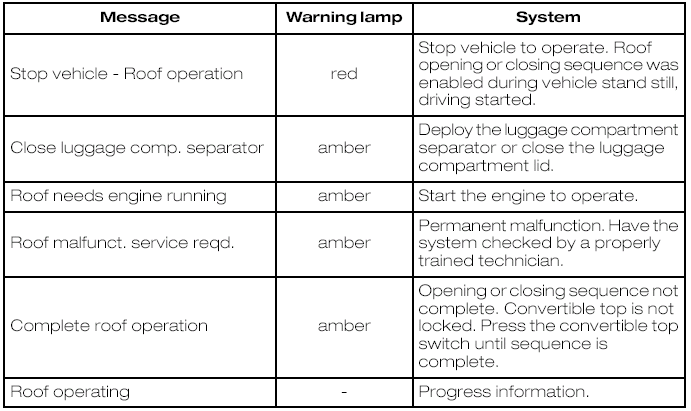
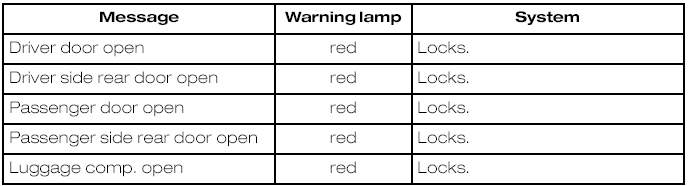
Doors open

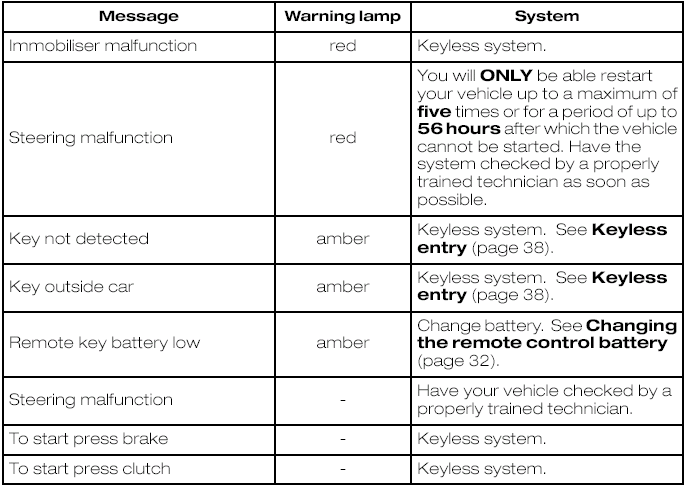
Keyless system
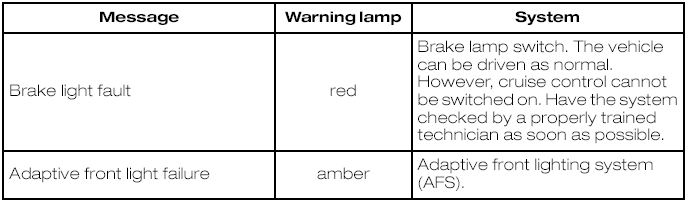
Lighting
Maintenance
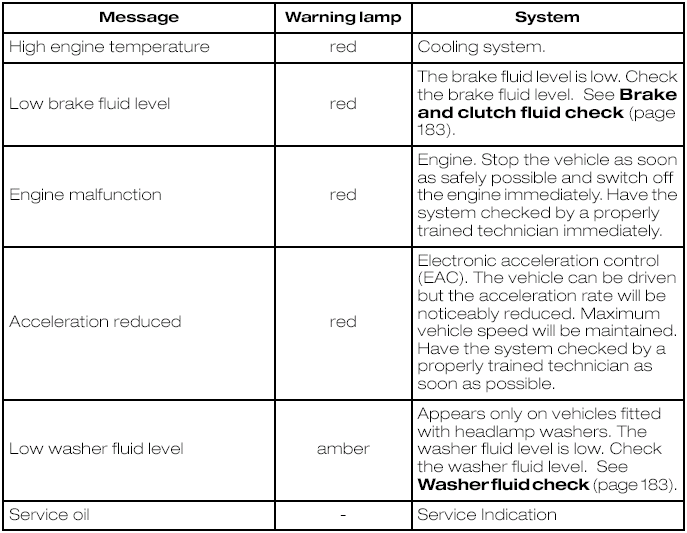
Power steering
Transmission
Tyre pressure monitoring system
Stability control (ESP)

Test yourself
A quick Ford Focus quiz: every answer comes with an explanation and a link to the manual page.
Was this page helpful?