Driver Information Interface Warning and Information Messages*
The following messages appear only on the driver information interface. Press the (display/information) button to see the message again with the system message indicator on.
| Message | Condition | Explanation |
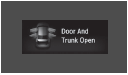 |
Appears if any door or the trunk is not completely closed. Appears if any door or the trunk is opened while driving. The beeper sounds. |
Goes off when all doors and the trunk are closed. |
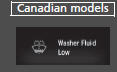 |
Appears when the washer fluid gets low. | Refill the washer fluid. Refilling Window Washer Fluid |
 |
|
Maintenance Minder Messages on the Driver Information Interface |
 |
Appears when there is a problem with the sensor on the battery. | Have your vehicle checked by a dealer. |
| Appears along with the battery charging system indicator when the battery is not charging. | Turn off the climate control system and rear defogger to reduce electricity consumption. | |
 |
Appears when the engine coolant temperature gets abnormally high. | Overheating |
 |
Appears when you turn the ignition switch to ON  *1 without fastening the driver’s seat belt. |
Fasten the seat belt properly before you start to drive. |
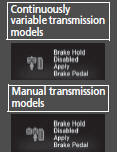 |
Appears if the automatic brake hold is automatically canceled while it is in operation. | Immediately depress the brake pedal. |
 |
Appears when the automatic brake hold system is turned off. | Automatic Brake Hold |
 |
Appears when the automatic brake hold button is pressed without wearing the driver’s seat belt. | Fasten the driver’s seat belt. |
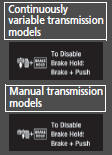 |
Appears when the automatic brake hold button is pressed without depressing the brake pedal while the automatic brake hold is in operation. | Press the automatic brake hold button with the brake pedal depressed. |
 |
Appears when the parking brake is applied automatically while it is in operation. |
|
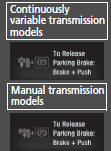 |
Appears when the electric parking brake switch is pressed without depressing the brake pedal while the electric parking brake is in operation. | Appears while driving - Press the electric parking brake switch with the brake pedal depressed. |
| Models without smart entry system | ||
 |
Appears when you open the driver’s door while the ignition key is in ACCESSORY  . |
Turn the ignition switch to LOCK  , then remove the key. |
 |
Appears when the ignition key is turned to ACCESSORY  from ON  . (The driver’s door is closed.) |
’ |
 |
Appears when you open the driver’s door while the ignition key is in LOCK  . |
Remove the key from the ignition switch. |
| Models with smart entry system | ||
 |
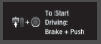
Appears after you set the power mode to ACCESSORY or ON. | Starting the Engine |
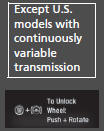 |
Appears when the steering wheel is locked. | Move the steering wheel left and right while pressing the ENGINE START/STOP button. |
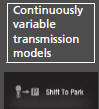 |
Appears if you push the ENGINE START/STOP button to turn the engine off without the shift lever in P. | U.S. models Move the shift lever to P. The power mode changes to VEHICLE OFF. Canadian modelsMove the shift lever to P, then press the ENGINE START/STOP button twice. |
 |
Appears when the power mode is in ACCESSORY. | ’ |
 |
Appears after the driver’s door is opened when the power mode is in ACCESSORY. | Press the ENGINE START/STOP button twice with your foot off the brake pedal (continuously variable transmission) or the clutch pedal (manual transmission) to change the power mode to VEHICLE OFF (LOCK). |
 |
Appears when you close the door with the power mode in ON without the smart entry remote inside the vehicle. | Disappears when you bring the smart entry remote back inside the vehicle and close the door |
 |
Appears when the smart entry remote battery becomes weak. | Replace the battery as soon as possible |
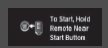 |
Appears if the smart entry remote battery is too weak to start the engine or the key is not within operating range to start the engine. | |
A beeper sounds six times
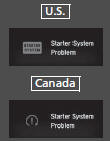
Have your vehicle checked by a dealer.




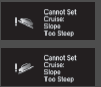

- Adaptive Cruise Control (ACC) with Low Speed Follow (LSF)*
- Parking Brake

- Adaptive Cruise Control (ACC) with Low Speed Follow (LSF)*
- Parking Brake

- Adaptive Cruise Control (ACC) with Low Speed Follow (LSF)*
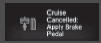

- Collision Mitigation Braking SystemTM (CMBSTM)*
- Adaptive Cruise Control (ACC) with Low Speed Follow (LSF)*

Appears when the vehicle is driving out of a detected line. The steering wheel vibrates rapidly.
Appears when the vehicle is driving out of a detected lane.
When you selected Warning Only
The steering wheel vibrates rapidly when the vehicle is drifting out of a detected lane.
When you selected Normal or Wide
The steering wheel vibrates rapidly when the vehicle is drifting out of a detected line. The system also steers the vehicle to help you remain within your driving lane.
Road Departure Mitigation (RDM) System
You can change the setting for the road departure mitigation system. Normal, Wide, and Warning Only can be selected.
Customized Features

Test yourself
A quick Honda Civic quiz: every answer comes with an explanation and a link to the manual page.