Features
Models with color audio system
In this manual: Features
~1min read
- How to customize
While the vehicle is at a complete stop with the ignition switch in ON (w, press the MENU/CLOCK button, then select Settings. To customize the phone settings, press the  button, then select Phone Setup.
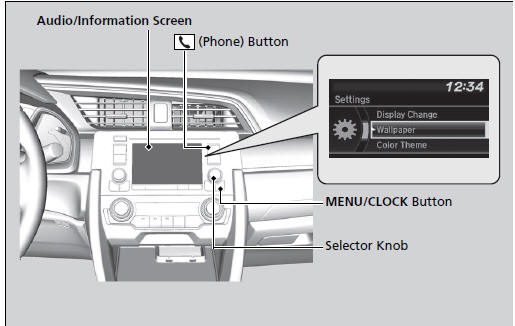
Customized Features
When you customize settings:
- Make sure that the vehicle is at a complete stop.
Continuously variable transmission models
- Shift to
 .
Manual transmission models
- Set the parking brake.
How to customize
These indications are used to show how to operate the selector knob. Rotate to select. Press
 to enter.
To customize other features, select Settings, rotate  , then press
 .
- Customization Flow
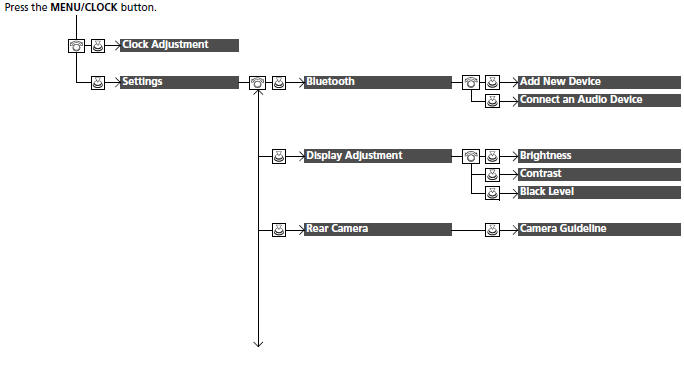
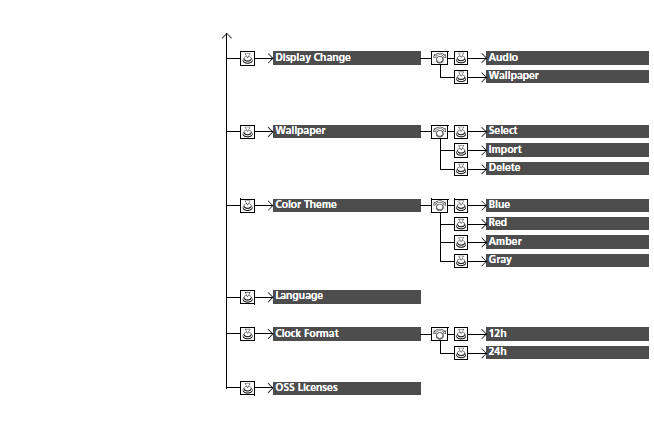
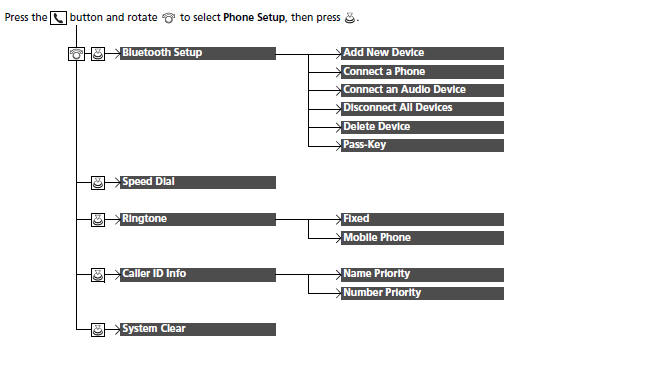
List of customizable options
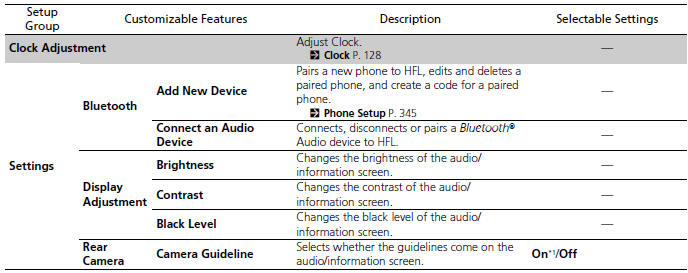
*1:Default Setting
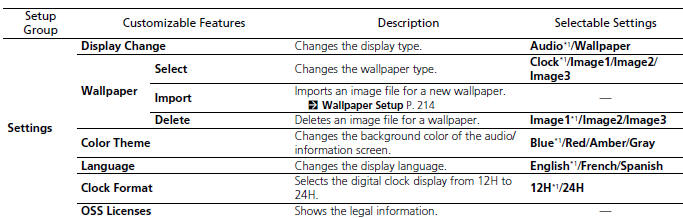
*1:Default Setting

*1:Default Setting
Test yourself
A quick Honda Civic quiz: every answer comes with an explanation and a link to the manual page.
Was this page helpful?