Body Electrical System
Smart Key System Repair Procedures
In this manual: Body Electrical System
10steps
~60min
3/5difficulty
Done 0 of 10
Smart Key
Saving Smart Key Code- Connect the GDS DLC cable to the data link connector (16-pin) on the lower driver's side instrument panel, then turn on the GDS.

- Select the vehicle model, then perform "Saving Smart Key Code".
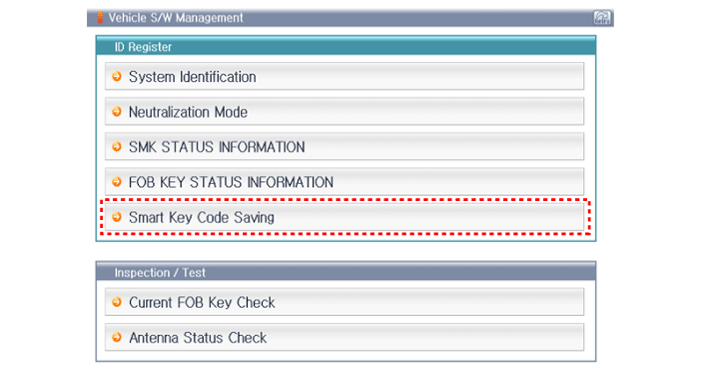
- After selecting the "Smart Key Learning" menu, press the "Enter" key, after which the screen shown below will appear.
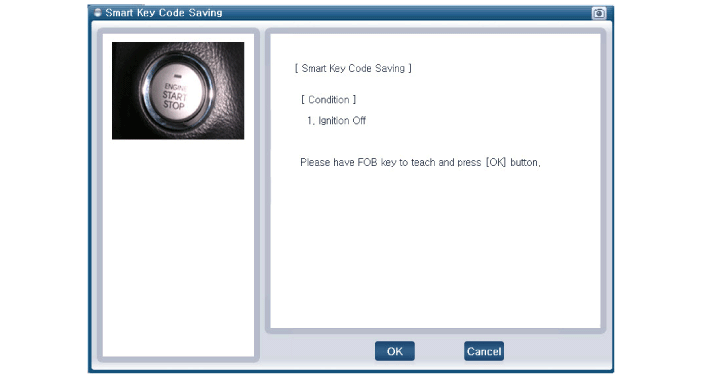
- After the smart key learning screen appears, press the "Enter" key.
- Enter the "PIN code" to learn the first key.
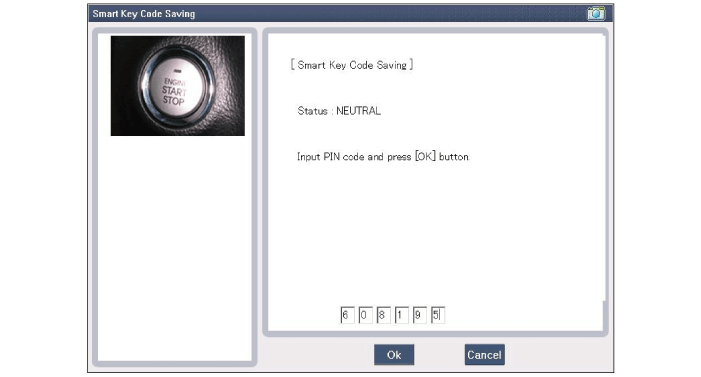
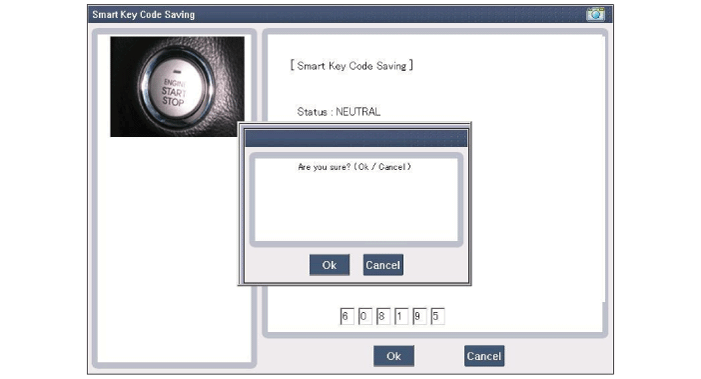
- Press the SSB with the smart key within 5 seconds after pressing "OK".
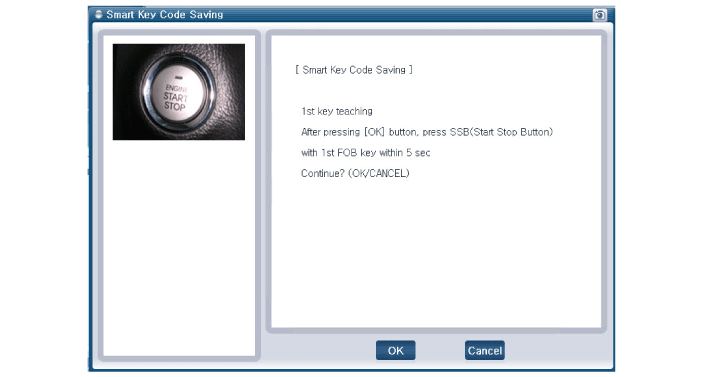
- Confirm the message "First key learning completed".

- Press the SSB with the smart key within 5 seconds after pressing "OK".
- Confirm the message "Second key learning completed".
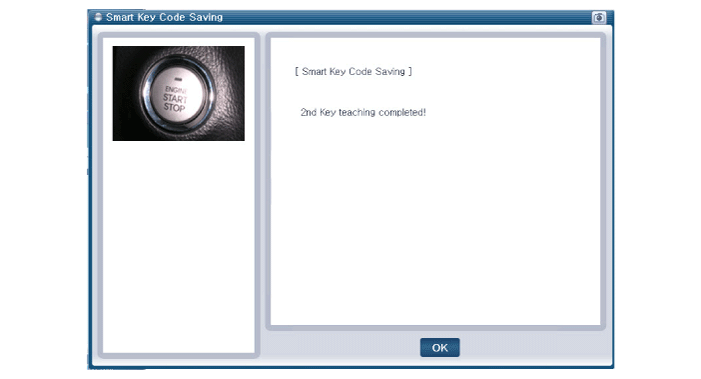
- The screen shown below will then appear when the key learning process is completed.

Test yourself
A quick Hyundai Elantra AD quiz: every answer comes with an explanation and a link to the manual page.
Was this page helpful?