Welcome System
Welcome Light
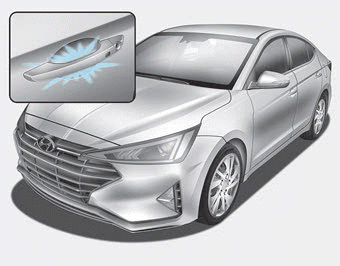
Door Handle Light (if equipped)
When all doors (and the trunk) are closed and locked, the door handle light comes on for approximately 15 seconds if any of the following actions is performed.
- When the unlock button on the remote key or smart key is pressed.
- When the outside door handle button is pressed.
- When approaching the vehicle with the smart key.
Headlamp and Parking Lamp
When the headlight switch is in the HEADLIGHT or AUTO position and all doors (and the trunk) are locked and closed, the parking lights and headlights come on for 15 seconds if any of the following actions is performed.
• When the unlock button on the remote key or smart key is pressed.
During this time, if the lock or unlock button on the remote key or smart key is pressed, the parking lights and headlights turn off immediately.
You can activate or deactivate the welcome light in the User Settings mode on the LCD display (if equipped with a supervision cluster).
For more information, refer to the "LCD Display" section in this chapter.
Courtesy Lamp
When the room lamp switch is in the DOOR position and all doors (and the trunk) are closed and locked, the room lamp comes on for 30 seconds if any of the following actions is performed.
- When the unlock button on the remote key or smart key is pressed.
- When the outside door handle button is pressed.
During this time, if the lock or unlock button on the remote key or smart key is pressed, the room lamp turns off immediately.
Test yourself
A quick Hyundai Elantra AD quiz: every answer comes with an explanation and a link to the manual page.