Operation of the Function
Rear View
Operating Conditions
- Shift the transmission to R (Reverse). The image will appear on the screen.
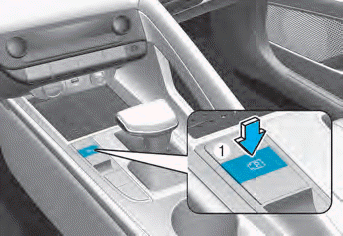
- Press the Parking/View button (1) while the shift lever is in P (Park), the image will appear on the screen. However, the parking guidelines will not be displayed.
Cancellation Conditions
- The rear view cannot be turned off while the transmission is in R (Reverse).
- Press the Parking/View button (1) again while the transmission is in P (Park) with the rear view on the screen, the rear view will turn off.
- Shift the transmission from R (Reverse) to P (Park), the rear view will turn off.
Maintaining the Rear View
The rear view will be displayed on the screen to assist you when parking. However, the parking guidelines will not be displayed.
Operating Conditions
Shift the transmission from R (Reverse) to N (Neutral) or D (Drive), the rear view will continue to be displayed on the screen.
Cancellation Conditions
- When the vehicle speed exceeds 6 mph (10 km/h), the rear view turns off.
- Shift the transmission to P (Park), the rear view will turn off.
Rear View while Driving
The driver can check the rear view on the screen while driving to help with safe driving.
Operating Conditions
Press the Parking/View button (1) when the transmission is in D (Drive) or N (Neutral), the rear view for driving will appear on the screen.
Cancellation Conditions
- Press the Parking/View button (1) again, the rear view for driving will turn off.
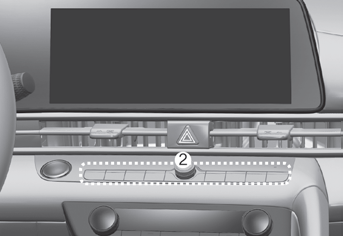
- Press one of the infotainment system buttons (2), the rear view for driving will turn off.
- Shift the transmission to P (Park), the rear view for driving will turn off.
During Operation
- If the transmission is shifted to R (Reverse) while the rear view for driving is displayed on the screen, the display will change to the rear view for parking.
- When the rear view for driving is displayed on the screen, the icon (
 ) will appear in the upper right area of the screen, indicating that the rear view is displayed.
Top View Rear
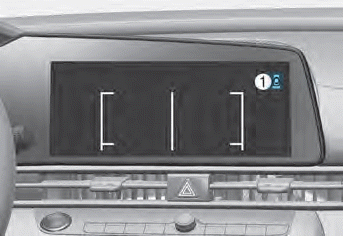
Touching the icon (1) displays the top view on the screen and shows the distance to the vehicle behind your vehicle while parking.
Test yourself
A quick Hyundai Elantra CN7 quiz: every answer comes with an explanation and a link to the manual page.