Driver Assistance System
Feature Settings
In this manual: Driver Assistance System
~1min read
Camera Settings
You can change the rear view monitor settings by pressing the Setup icon ( ) on the screen while the system is on, or by selecting "Driver Assistance" → "Parking Safety" → "Camera Settings" from the Settings menu when the Engine Start/Stop button is in the ON position.
Control Button
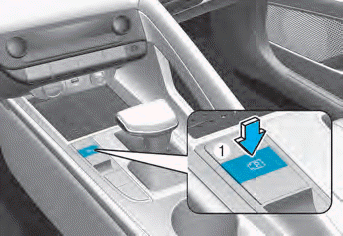
Parking/View Button
Press the Parking/View button (1) to turn on the rear view monitor.
Press the button again to turn off the feature.
Test yourself
A quick Hyundai Elantra CN7 quiz: every answer comes with an explanation and a link to the manual page.
Was this page helpful?