Feature Settings
Setting
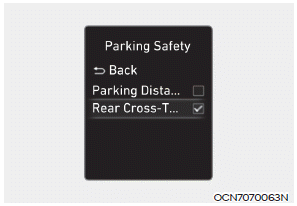
Rear Cross-Traffic Safety
With the engine running, select "Driver Assistance → Parking Safety → Rear Cross-Traffic Safety" from the Settings menu to turn on the rear cross-traffic safety system, and deselect it to turn the system off.
WARNING
When the engine is restarted, the rear cross-traffic safety system is always turned on. However, if "Off" is selected, after restarting the engine the driver must always stay aware of the surroundings and drive safely.
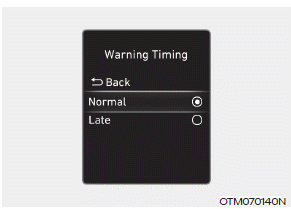
Warning Timing
With the engine running, select "Driver Assistance → Warning Timing" from the Settings menu to change the initial warning activation timing for the rear cross-traffic safety system.
When the vehicle is first delivered, the Warning Timing is set to "Normal". If you change the warning timing, the warning timing of other driver assistance systems may change.
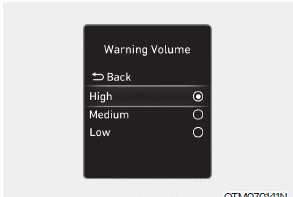
Warning Volume
With the engine running, select "Driver Assistance → Warning Volume" from the Settings menu to change the warning volume to "High," "Medium," or "Low" for the rear cross-traffic safety system.
If you change the Warning Volume, the warning volume of other Driver Assistance systems may change.
CAUTION
- Warning Timing and Warning Volume settings apply to all Rear Cross-Traffic Safety features.
- Although the warning timing is set for vehicles approaching from the left and right at high speed, the initial warning activation timing may seem late.
- Select "Late" for Warning Timing when traffic is light and driving speed is slow.
Information
If the engine is restarted, the Warning Timing and Warning Volume settings will maintain the last setting.
Test yourself
A quick Hyundai Elantra CN7 quiz: every answer comes with an explanation and a link to the manual page.