Emission Control System
GPF (Gasoline Particulate Filter) Repair Procedures
In this manual: Emission Control System
20steps
~120min
5/5difficulty
Done 0 of 20
GPF Regeneration
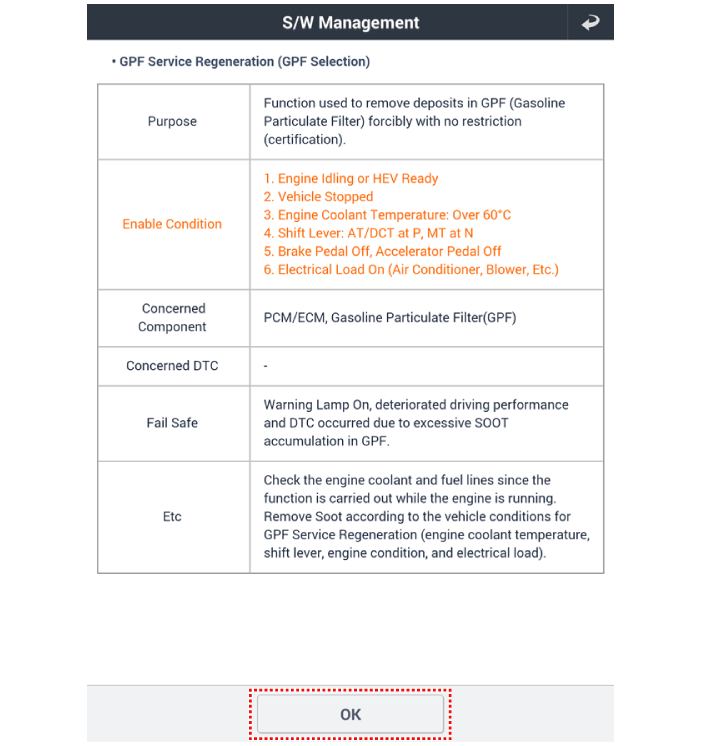
This procedure is for forced GPF regeneration using a scan tool when the GPF has not regenerated during driving. For example, if the vehicle repeatedly shows "Low Speed Driving" or "Short Distance Driving", GPF regeneration procedure cannot be continued because the "Regeneration Mode" does not operate.Forced Regeneration Condition- Engine coolant temperature: approx. 70 °C
- Engine at idle
- P range (A/T) or Neutral (M/T)
- Battery voltage normal
- Electrical load ON at full load (A/C ON if equipped, blower fan ON at maximum speed, headlights ON, wipers ON, other lamps ON, etc.).
- Turn the ignition off.
- Connect the GDS to the Data Link Connector (DLC).
- Turn the ignition on.
- Select "Vehicle, Model Year, Engine, System".
- Start the engine and idle in P range (A/T) or Neutral (M/T).
- Apply full electrical load to the vehicle (A/C ON, blower fan ON at maximum speed, headlights ON, wipers ON, other lamps ON, etc.).
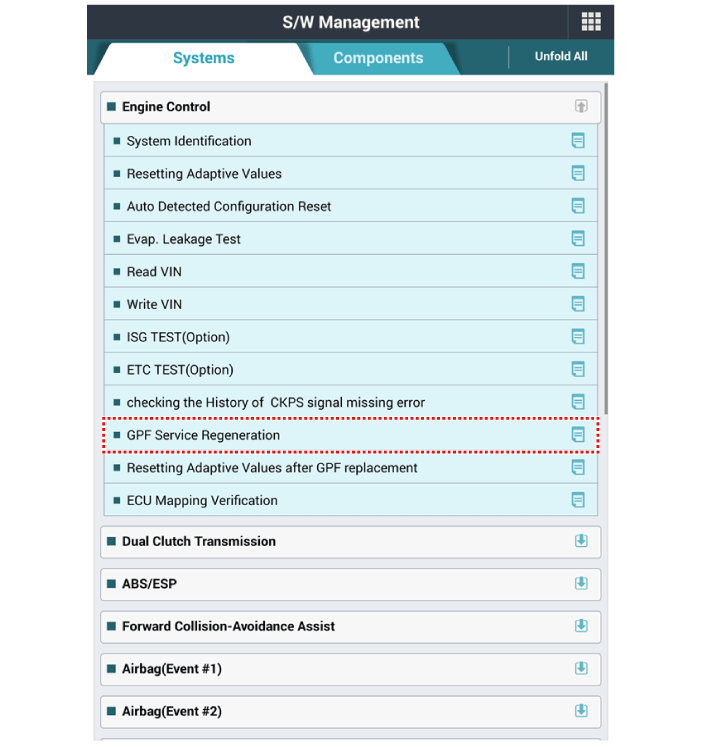
- Select "Vehicle Software Management".
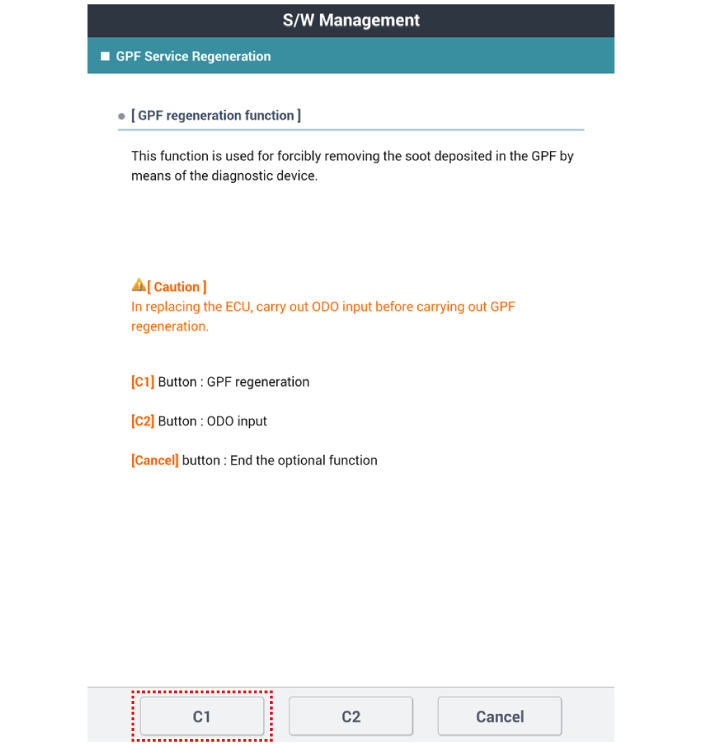
- Select "GPF Service Regeneration".
Removal
- Turn the ignition switch OFF and disconnect the negative (-) battery terminal.
- Raise the vehicle.
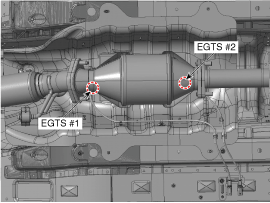
- Remove the No.1 and No.2 Exhaust Gas Temperature Sensor (EGTS). (Refer to Engine Control/Fuel System - "Exhaust Gas Temperature Sensor (EGTS)")
- Remove the GPF (B) after removing the installation nuts (A).
Installation
- Install in the reverse order of removal.
GPF installation nut: 39.2–59 N·m
Replacement
- Turn the ignition off.
- Connect the GDS to the Data Link Connector (DLC).
- Turn the ignition on.
- Select "Vehicle, Model Year, Engine, System".
- Start the engine and idle in P range (A/T) or Neutral (M/T).
- Apply full electrical load to the vehicle (A/C ON, blower fan ON at maximum speed, headlights ON, wipers ON, other lamps ON, etc.).
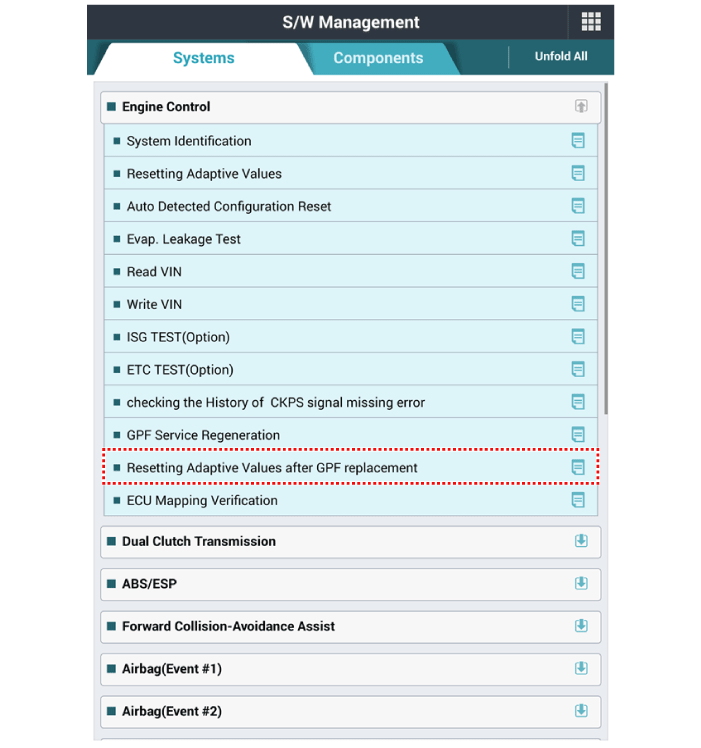
- Select "Vehicle Software Management".
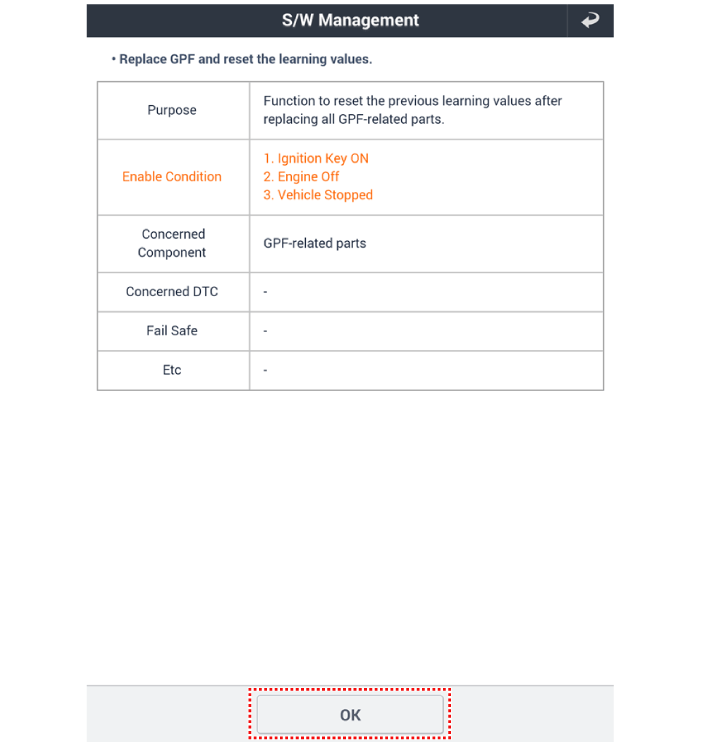
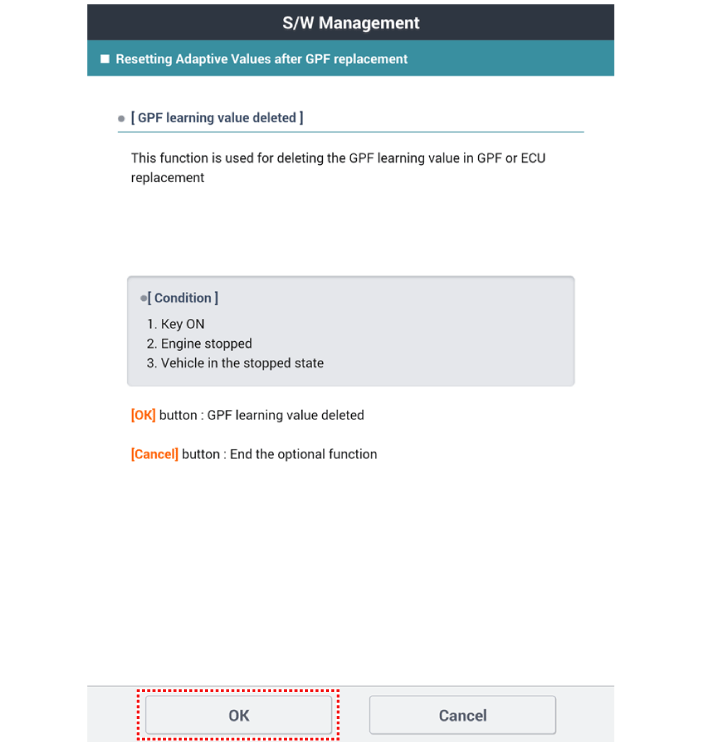
- Select "Reset Adaptive Values after GPF Replacement".
Test yourself
A quick Hyundai Kona quiz: every answer comes with an explanation and a link to the manual page.
Was this page helpful?