Body Electrical System
Wireless Charging Lamp
In this manual: Body Electrical System
9steps
~54min
2/5difficulty
Done 0 of 9
Components and Components Location
Components
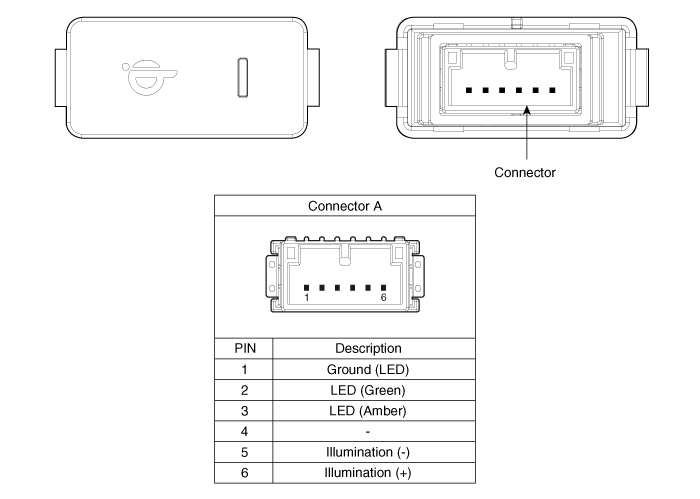
Repair Procedures
Removal
|

- Disconnect the negative (-) battery terminal.
- Remove the floor console upper cover assembly. (Refer to Body - "Floor Console Assembly")
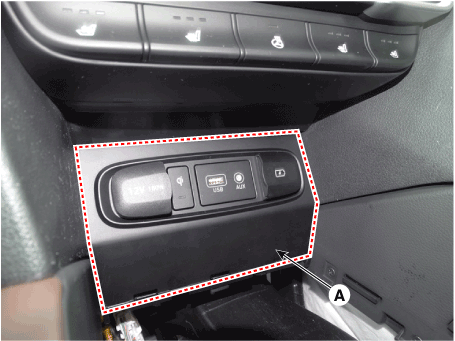
- Remove the console tray (A) using a flat-tip screwdriver.
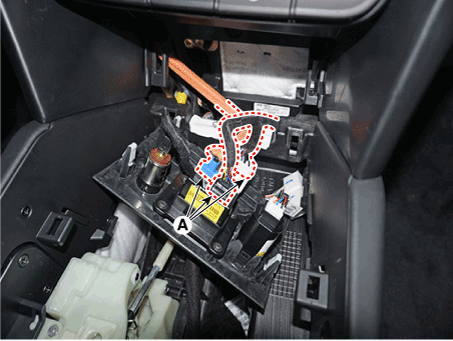
- Disconnect the connector (A).
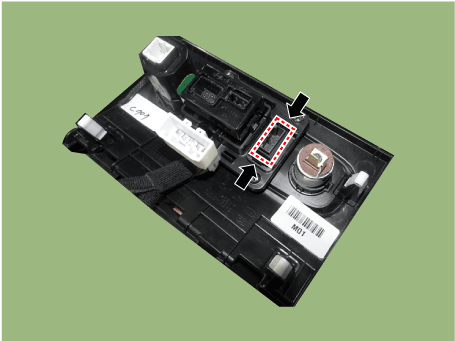
- Release the fixing hook, then remove the wireless charging indicator.
Installation
- Install the wireless charging indicator.
- Connect the wireless charging indicator lamp connector.
- Install the floor console upper cover assembly.
- Connect the negative (-) battery terminal.
Test yourself
A quick Hyundai Palisade quiz: every answer comes with an explanation and a link to the manual page.
Was this page helpful?