Driver Assistance System
Lane Following Assist Settings
In this manual: Driver Assistance System
~1min read
Feature Settings
Turning Lane Following Assist On/Off
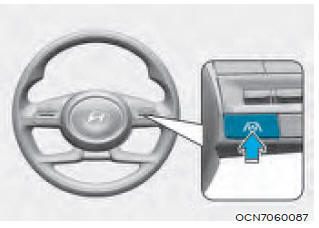
With the engine running, briefly press the Lane Following Assist button on the steering wheel to turn Lane Following Assist on. The indicator will be white or green. indicator light illuminates on the cluster.
Press the button again to turn off the feature.
If the engine is restarted, Lane Following Assist will retain the last setting.
Warning Volume
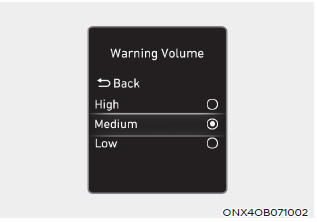
With the engine running, select "Driver Assistance > Warning Volume" in the Settings menu to change the Warning Volume to "High", "Medium", or "Low" for the Non-Intervention Warning.
If you change the Warning Volume, the warning volume of other driver assistance systems may change.
Test yourself
A quick Hyundai Tucson quiz: every answer comes with an explanation and a link to the manual page.
Was this page helpful?