Trip Modes
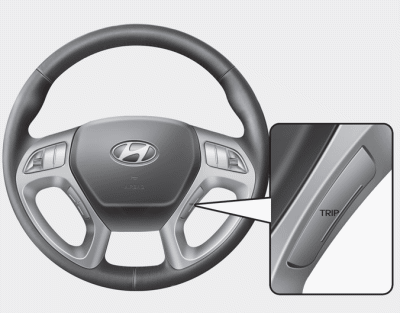
Press the button to select the following modes:
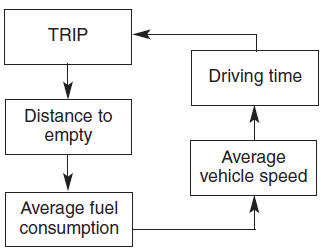
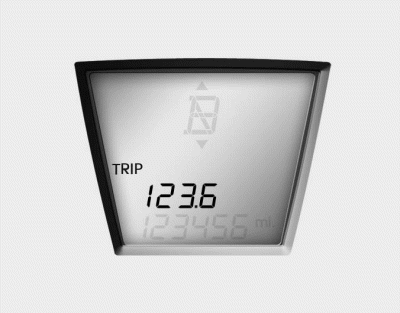
Trip Odometer
This mode shows the distance of individual trips selected since the last trip odometer reset.
The operating range of the meter is 0.0 to 999.9 miles (0.0 to 9999.9 km).
Pressing the TRIP button for more than 1 second while the trip odometer is displayed resets the trip odometer to zero (0.0).
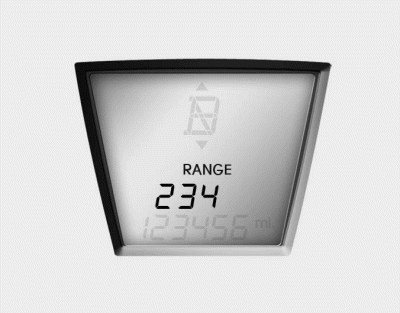
Distance to Empty
This mode shows the estimated distance to empty based on the current fuel level in the fuel tank and the fuel consumption rate. When the remaining distance is less than 30 miles (50 km), "----" will be displayed and the distance to empty indicator will flash.
The operating range of the meter is 30 to 9999 miles (50 to 9999 km).
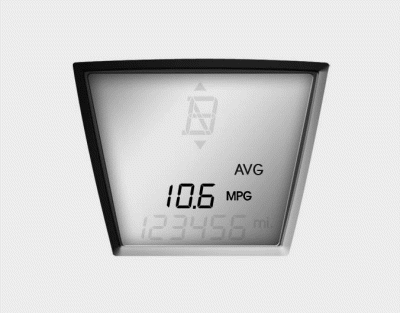
Average Fuel Economy
This mode calculates the average fuel economy from the total fuel consumed and the distance driven since the last average fuel economy reset.
Pressing the TRIP button for more than 1 second while the average fuel economy is displayed resets the average fuel economy (--.-).
✽ NOTICE
Average fuel economy is not displayed for a more accurate calculation until the vehicle has been driven more than 10 seconds or 0.186 miles (300 meters) after the ignition switch is in the ON position.
✽ NOTICE
- If the vehicle is parked on an uneven surface or the battery power is interrupted, the distance to empty function may not operate correctly.
- The distance to empty may differ from the actual driving distance, as it is an estimate of the available driving distance.
- The trip computer may not register additional fuel if less than 1.6 gal. (6 liters) of fuel is added to the vehicle.
- Fuel economy and distance to empty may vary significantly depending on driving conditions, driving style and vehicle condition.
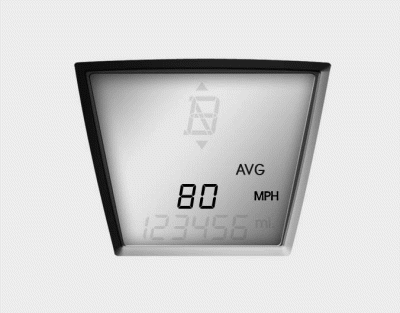
Average Vehicle Speed
This mode calculates the average vehicle speed since the last average vehicle speed reset.
Even if the vehicle is not moving, the average vehicle speed is calculated while the engine is running.
Pressing the TRIP button for more than 1 second while the average vehicle speed is displayed resets the average vehicle speed (---).
✽ NOTICE
Average vehicle speed is not displayed if the distance is less than 0.186 miles (300 meters) or the driving time is less than 10 seconds after the ignition switch or engine start/stop button is in the ON position.
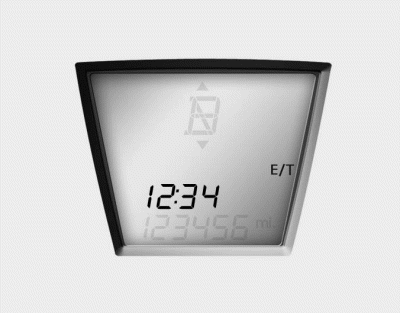
Driving Time
This mode shows the total driving time since the last driving time reset.
Even if the vehicle is not moving, the driving time is calculated while the engine is running.
Operating range of the meter: 0:00 to 99:59.
Pressing the TRIP button for more than 1 second while the driving time is displayed resets the driving time to zero (0:00).
Test yourself
A quick Hyundai Tucson LM quiz: every answer comes with an explanation and a link to the manual page.