Understanding your instrument panel
Using The Remote Control
In this manual: Understanding your instrument panel
~1min read
1. Press the MODE button on the Remote Control and the Mode Select Screen will display, unless a video is playing then only a small banner will appear on the bottom of the screen.
2. While looking at the video screen, either press Up/ Down/Left/Right on the Remote Control to highlight the desired audio source or repeatedly press the MODE button on the remote until the desired audio source appears on the screen.
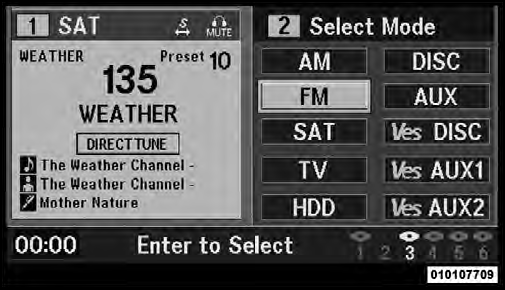
Select FM Mode On The VES Screen
Test yourself
A quick Jeep Grand Cherokee quiz: every answer comes with an explanation and a link to the manual page.
Was this page helpful?