Understanding your instrument panel
Using The Touch-Screen Radio Controls
In this manual: Understanding your instrument panel
~1min read
1. Press the MENU hard-key on the radio faceplate.
2. Touch the Rear VES soft-key to display the Rear VES Controls. If a channel list is displayed, press the HIDE LIST soft-key to display the Rear VES Controls screen.
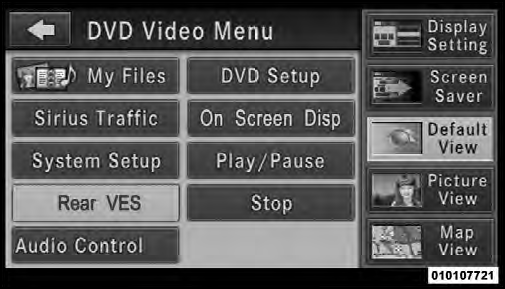
Rear VES Soft-key
3. To listen to an audio source on Channel 2 while a video is playing on Channel 1, touch the 2 soft-key and choose an audio source. To exit touch the back arrow soft-key at the top left of the left screen.
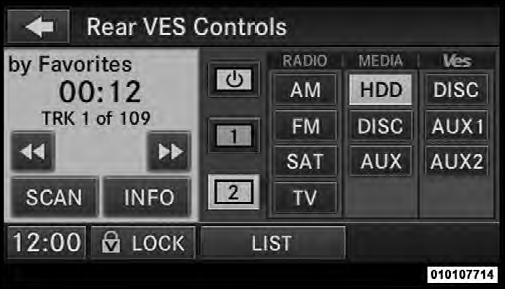
Select Channel/Screen 2 And HDD In The MEDIA Column
Test yourself
A quick Jeep Grand Cherokee quiz: every answer comes with an explanation and a link to the manual page.
Was this page helpful?