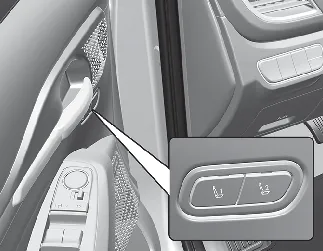
Resetting the System
Contents:
Use the following procedure to reset the Kia Seltos Integrated Memory System if it does not operate properly.
Resetting integrated memory system
Stop the vehicle and open the driver's door while the ignition switch or ENGINE START/STOP button is in the ON position and the vehicle is shifted to P (Park).
Adjust the driver's seat and seatback to the foremost position.
Press memory button 1 (or 2) and push the driver's seat movement switch forward for more than 2 seconds at the same time.
While integrated memory system
The resetting process starts with a notification sound.
The driver's seat and seatback move to the rearward position while the notification sound is heard.
The driver's seat and seatback then return to the default central position with the notification sound.
In the following situations, the Kia Seltos Integrated Memory System resetting procedure and notification sound may stop:
The memory button is pressed.
The seat control switch is operated.
The gear is shifted out of P (Park).
The driving speed exceeds 3 km/h.
The driver's door is closed.

NOTICE
If the resetting process or notification sound stops while the Kia Seltos Integrated Memory System is being reset, restart the resetting procedure from the beginning.
Before resetting the integrated memory system, make sure there are no objects around the driver's seat that could interfere with seat movement.
After the integrated memory system has been reset, the driver's seat position must be stored again before the memory position can be recalled.