Body Electrical System
Smart Key System Repair Procedures
In this manual: Body Electrical System
20steps
~125min
5/5difficulty
1special tools
Done 0 of 20
Inspection
- Make sure the red indicator blinks when the door lock or unlock button on the transmitter is pressed.
- Remove the battery (A) and check the voltage if the red indicator does not blink.
Standard voltage: 3 V
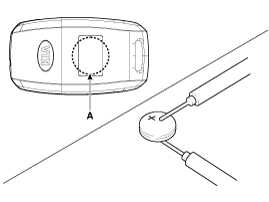
- Install the battery (A) into the tester (09954-2P100).
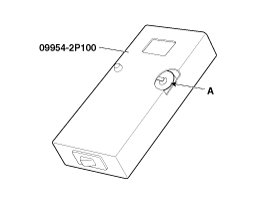
- Press the check button, and if the display shows "0.00", this means the battery voltage is 2 V or less.
- If the display shows the letter "L", this means the battery is discharged and must be replaced.
- To prevent electrical discharge, turn off the power to the tester.
- Replace the transmitter battery with a new one if the voltage is low, then try to lock and unlock the doors using the transmitter by pressing the lock or unlock button five or six times.
- If the doors lock and unlock, the transmitter is normal. If the doors do not lock or unlock, register the transmitter code, then try to lock and unlock the doors.
- If the doors lock and unlock, the transmitter is normal. If the doors do not lock or unlock, replace the transmitter.
Improper disposal of the battery can harm the environment and human health. Dispose of the battery in accordance with local laws or regulations.
Smart Key Code Registration (Using GDS)
- Connect the GDS DLC cable to the data link connector (16-pin) on the lower driver's side instrument panel, then turn on the GDS.
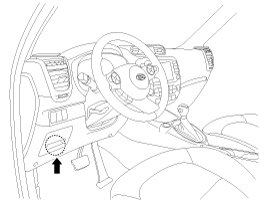
- Select the vehicle model, then perform "CODE SAVER".
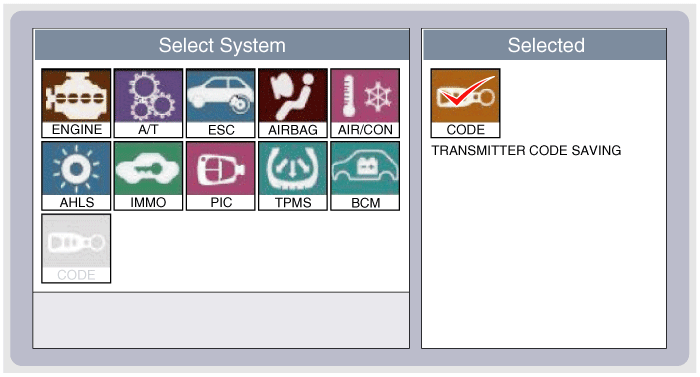
- After selecting the "CODE SAVING" menu, press the "ENTER" button to display the next screen.
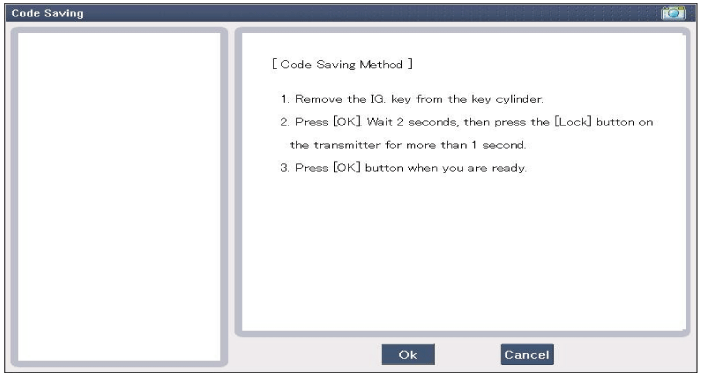
- After pressing SSB to "OFF", press the "ENTER" key to proceed to the next mode for saving the code. Perform steps 1 through 4, then code saving is complete.
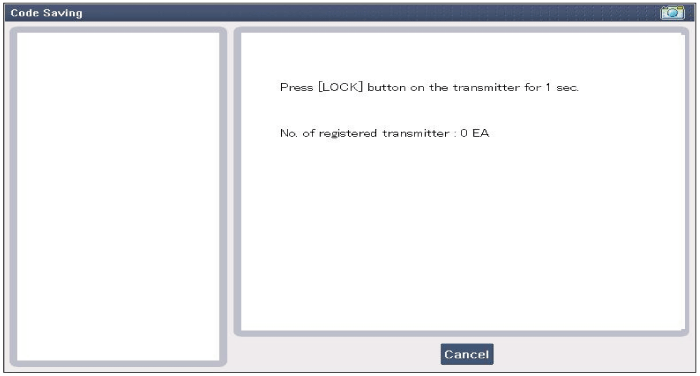
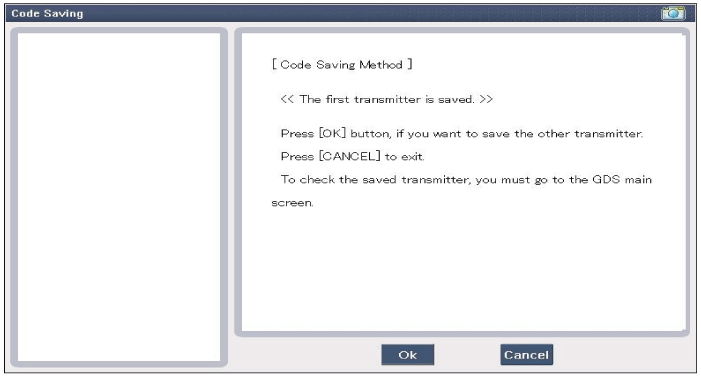
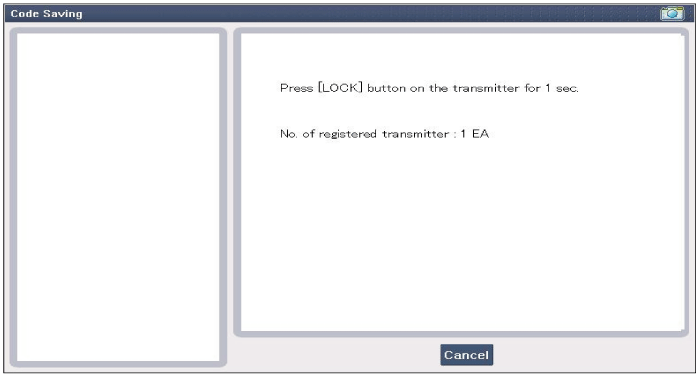
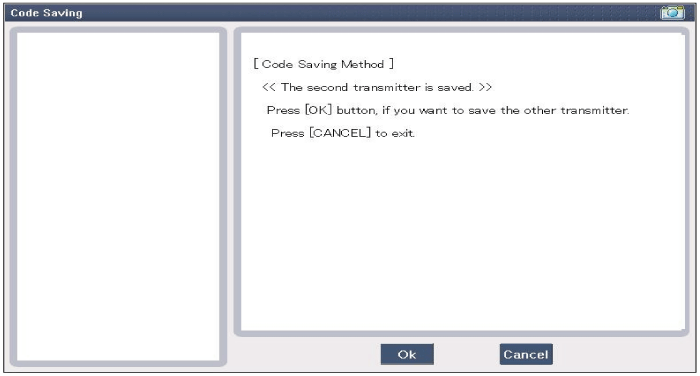
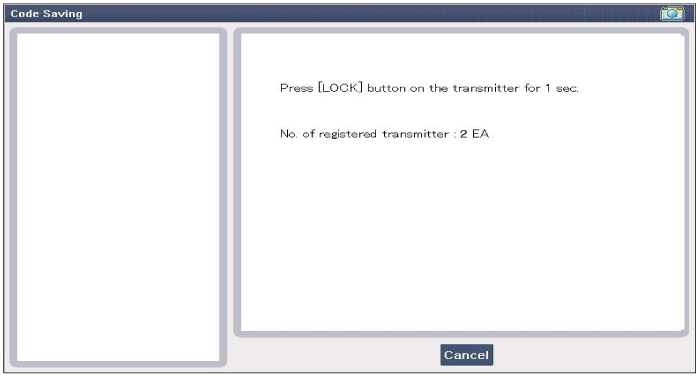
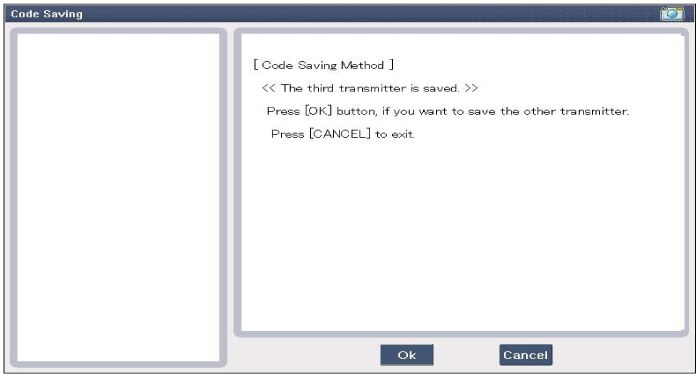
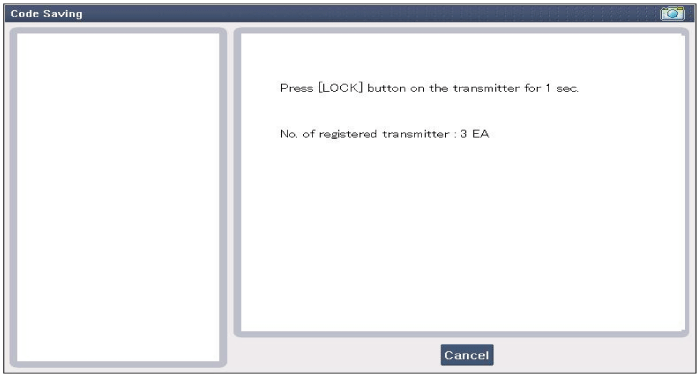
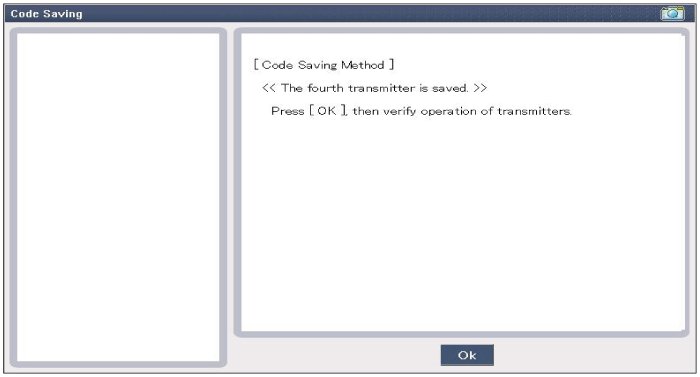
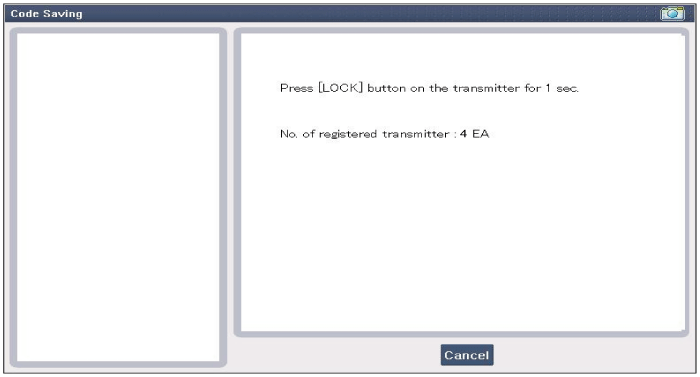
Saving Smart Key Code
- Connect the GDS DLC cable to the data link connector on the lower panel of the driver's side crash pad, and turn on the GDS power.
- Select the vehicle model, then perform "Saving Smart Key Code".
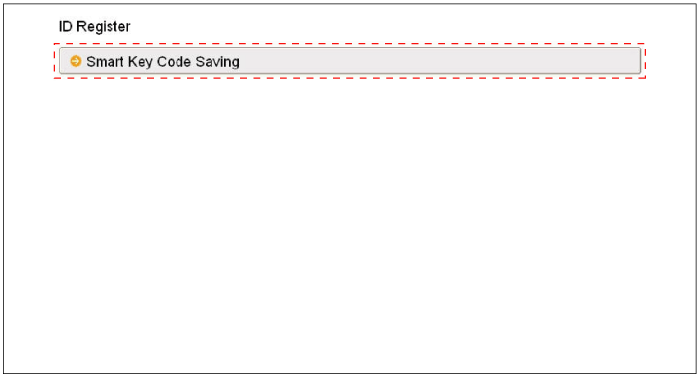
- After selecting the "Intelligent Key Learning" menu, press the "ENTER" button to display the next screen.
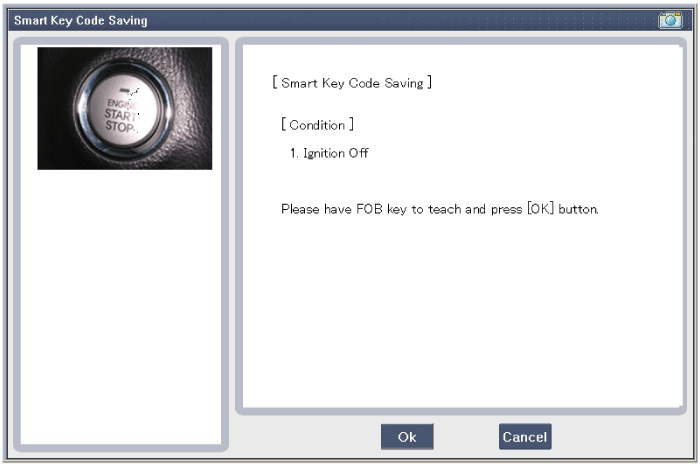
- After pressing SSB with the learning key, press the "OK" button.
- Enter the "PIN code" to learn the first key.
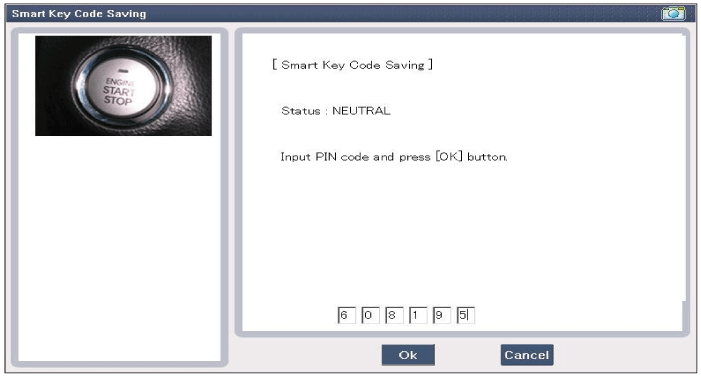
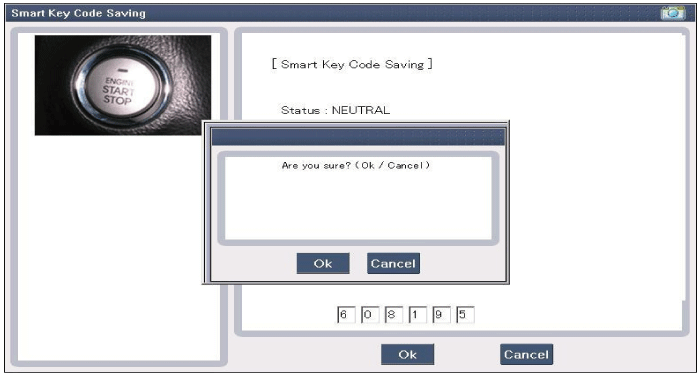
- Confirm the message "First key learning completed".
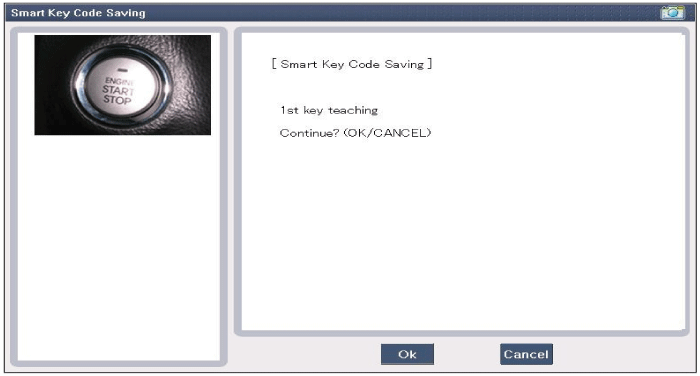
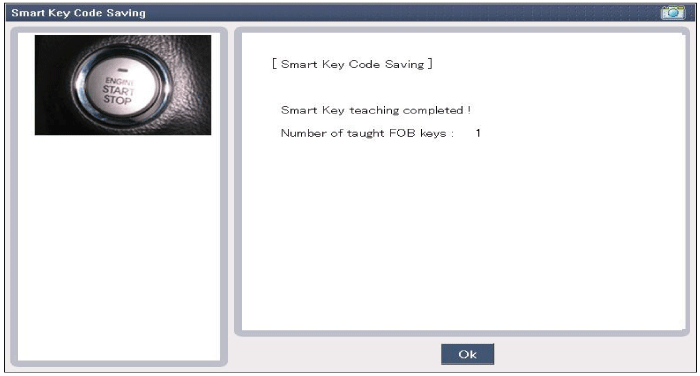
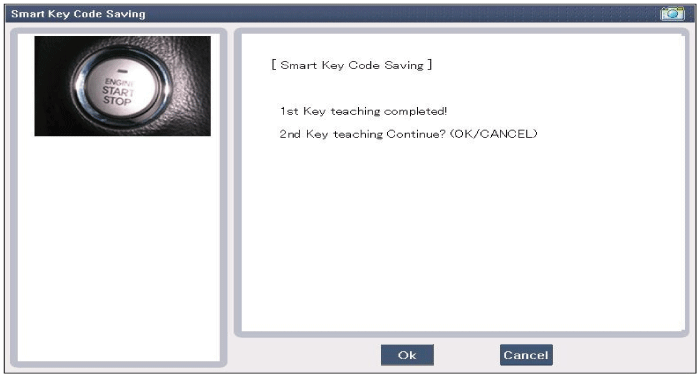
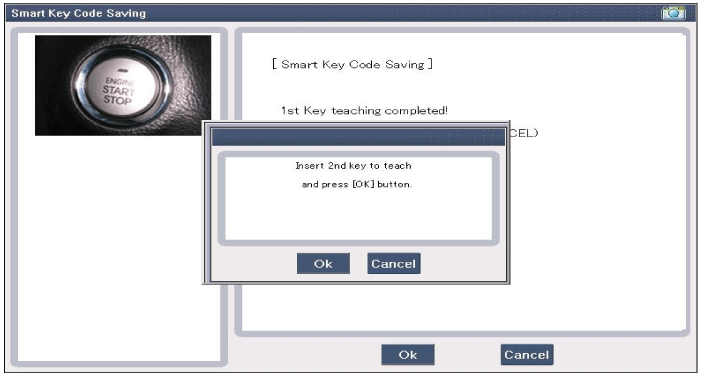
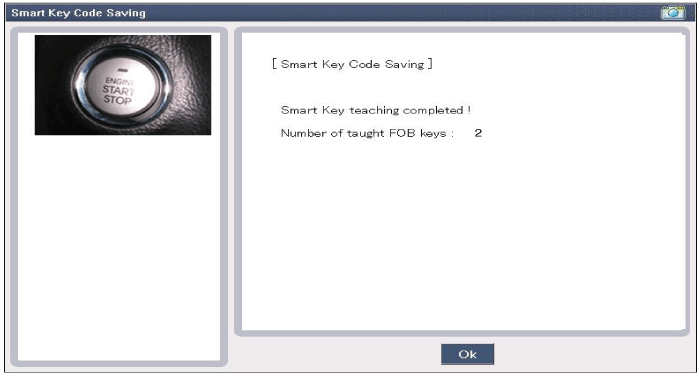
- Confirm the message "Second key learning completed".
Test yourself
A quick Kia Soul EV Owner's Manual quiz: every answer comes with an explanation and a link to the manual page.
Was this page helpful?