Navigation system: destination search
Selecting the search area
In this manual: Navigation system: destination search
~1min read
Change the selected region in order to set a destination from a different region by using “Address”, “Point of Interest” or “Intersection & Freeway”.
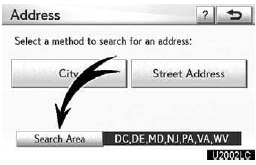
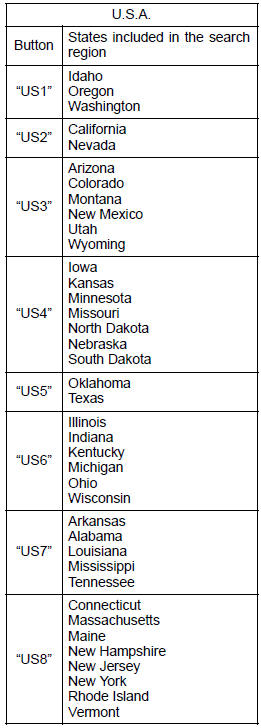
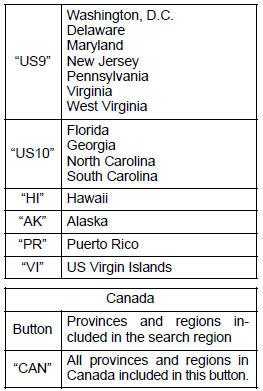
1. Touch “Search Area” to display a map of the United States and Canada divided into 15 regions. (For map database information and updates, see “Map database information and updates” on page 408.)
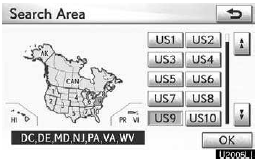
2. Touch one of “US1” through “CAN” to select a region to search.
3. Touch “OK” and the previous screen returns.
Test yourself
A quick Lexus GX quiz: every answer comes with an explanation and a link to the manual page.
Was this page helpful?