Changing other settings
Setting the display mode
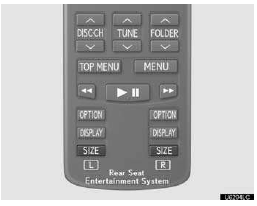
Pushing “SIZE” changes the display modes sequentially as follows:
Normal “Wide 1” “Wide 2”
Adjusting the screen
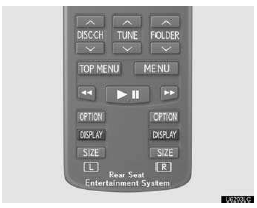
Push “DISPLAY”.
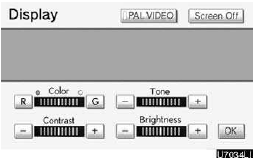
Select the desired button to adjust color, tone, contrast and brightness. After adjusting the screen, touch “OK”.
“Color” “R”: Strengthens the red color of the screen.
“Color” “G”: Strengthens the green color of the screen.
“Tone” “+”: Strengthens the tone of the screen.
“Tone” “–”: Weakens the tone of the screen.
“Contrast” “+”: Strengthens the contrast of the screen.
“Contrast” “–”: Weakens the contrast of the screen.
“Brightness” “+”: Brightens the screen.
“Brightness” “–”: Darkens the screen.
The screen goes off when “Screen Off” is selected. To turn the display screen back on, push “DVD”, “VIDEO”, “OFF” or “DISPLAY” for the display. The selected screen appears.
Test yourself
A quick Lexus GX quiz: every answer comes with an explanation and a link to the manual page.