Setup
Volume setting
In this manual: Setup
~1min read
You can adjust the voice and ring volume.
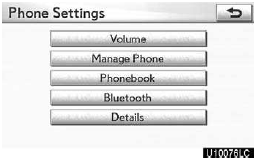
1. Touch “Volume”.
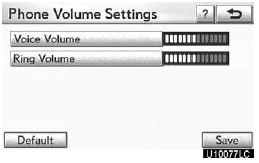
2. Change each setting according to the following procedures.
3. When you complete all settings, touch “Save”.
Automatic volume settings for high speed
The system will automatically increase the volume by one step up when the speed exceeds 80 km/h.
Voice volume setting
1. Touch “Voice Volume”.
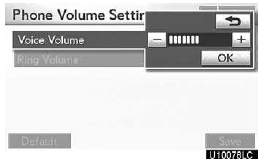
2. Touch “–” or “+” to adjust the voice volume.
3. Touch “OK”.
Ring volume setting
1. Touch “Ring Volume”.
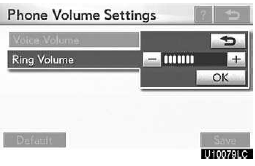
2. Touch “–” or “+” to adjust the ring volume.
3. Touch “OK”.
Initializing the settings
You can initialize the settings.
1. Touch “Default”.
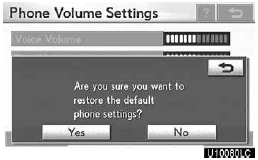
2. Touch “Yes”.
Test yourself
A quick Lexus GX quiz: every answer comes with an explanation and a link to the manual page.
Was this page helpful?