Setup
Phonebook
In this manual: Setup
~1min read
INFORMATION
Phonebook data is managed for every registered phone. When another phone is connecting, you can not read the registered data.
“Phonebook” is accessed from the “Phonebook Settings” screen.
1. Push the “SETUP” button.
2. Touch “Phone”.
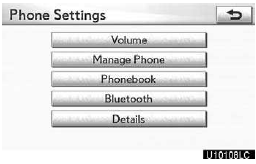
3. Touch “Phonebook”.
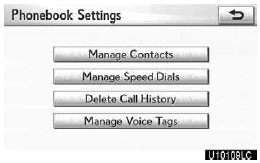
Please do each setting from this screen.
Test yourself
A quick Lexus GX quiz: every answer comes with an explanation and a link to the manual page.
Was this page helpful?