Audio System
■Basic operation
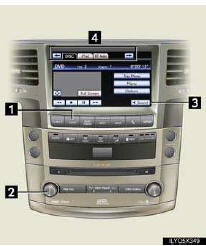
1 Displaying audio control screen*
2 Power/Volume
3 Setting the sound quality
4 Selecting audio sources
*: Various adjustments can be made in each mode.
For details, refer to the Owner’s Manual.
■Radio
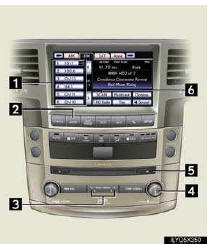
1 tation presets
2 Displaying audio control screen
3 Seeking the frequency
4 Adjusting the frequency
5 Mute
6 Scanning for receivable stations
■Playing the CD/DVD player
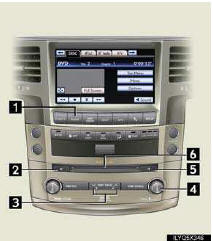
1 Displaying audio control screen
2 Disc eject
3 Selecting track, file and chapter/fast forward/ rewind
4 Selecting track/file
5 Play/pause
6 Disc slot
■Control icons
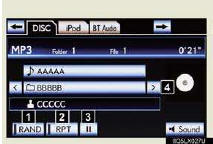
►Audio CD
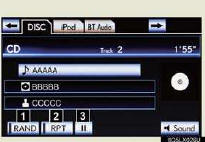
1 Random playback
2 Repeat play
3 Play/pause
4 Selecting a folder
►MP3/WMA mode
► DVD video mode
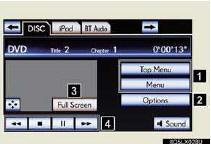
1 Menu screen
2 DVD option screen
3 Image display (full screen)
4 DVD operation
■Using the AUX port
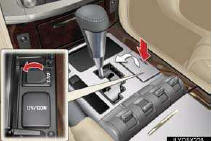
1 Push the lid to open.
2 Open the cover and connect the portable audio device.
3 Touch the “AUX” tab on the screen or press the “AUDIO” button repeatedly to change to AUX mode.
■Remote control (steering switches)

“MODE”: Turns the audio system on/off, or changes the audio mode.
“+” or “-”: Adjusts the volume.
“∧” or “∨”: Radio mode - Radio tuner
CD mode - Disc/track/file(MP3/WMA) selection
DVD mode -Track/chapter/disc selection
BluetoothВ® audio mode - Selects a track and album
iPod mode - Selects a track
USB memory mode - Selects a file and folder
Test yourself
A quick Lexus LX quiz: every answer comes with an explanation and a link to the manual page.