Anti-theft system
- If the anti-theft system protection has been activated, any one of the following conditions will trigger the system:
- Disconnected battery cable
- Discharged battery
- Disconnected audio unit connectors
- If the system is triggered, the audio unit will then be inoperative when it is reconnected to a power source, and code will flash on the display until the preselected code number is input. If the anti-theft system is triggered, follow the procedures in Canceling Anti-theft Operation to reset the unit.

Setting the Code Number Complete each step (Steps 1-3) within 10 seconds
or the setting procedure will be canceled.
1. Turn the ignition switch to ACC position and then turn off the audio unit.
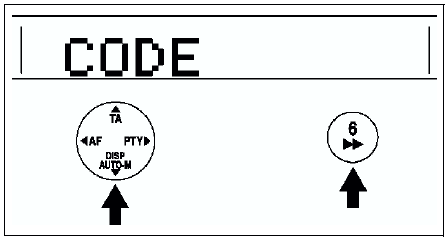
2. First press the AUTO-M button, then simultaneously press channel button 6 for approximately 2 secondsuntil CODE appears on the display.
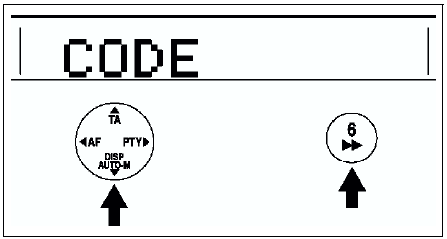
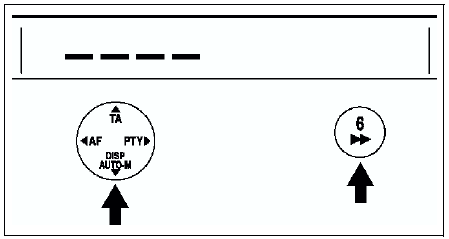
3. Press the AUTO-M button again, then simultaneously press channel button 6 until bars appear on the display.
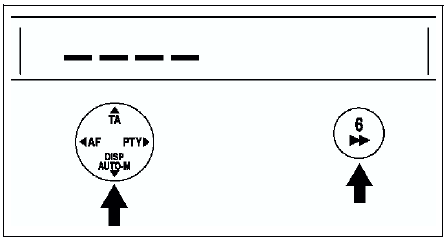
4. Select a personal code number and record it before inputting it. If the number is input and then forgotten, it cannot be canceled, and if the unit is disconnected again, the audio unit will be inoperative.
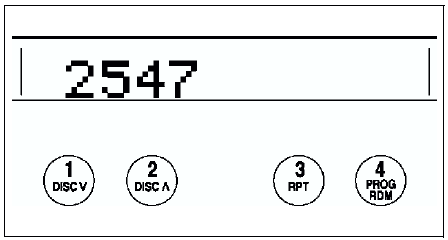
5. Use channel buttons 1-4 to input the selected code number. Press button 1 for the first digit, 2 for the second, 3 for the third, and 4 for the last digit. Input the number within 10 seconds. If the display is deleted, repeat the procedure from Step 1.
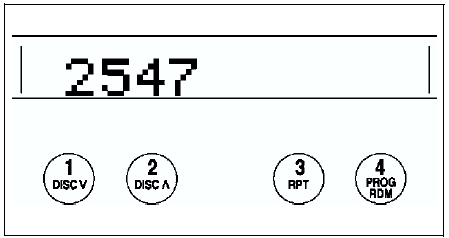
Note
- Perform Step 6 within 10 seconds after Step 5.
After it disappears, the code number is set.
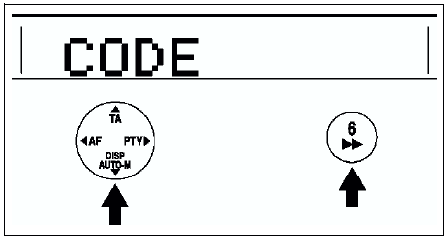
7. If Err (error) appears on the display, repeat the procedure from Step 1. If input error is repeated three times, turn the ignition switch to LOCK position and repeat the procedure from Step 1.
Canceling the Code Number Complete each step (Steps 1-3) within 10 secondsor the canceling procedure will be canceled.
1. Turn the ignition switch to ACC position and then turn off the audio unit.
2. First press the AUTO-M button, then simultaneously press channel button 6 for approximately 2 secondsuntil CODE appears on the display.
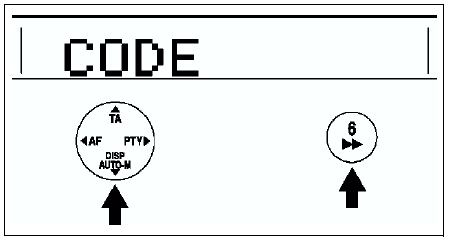
3. Press the AUTO-M button again, then simultaneously press channel button 6 until bars appear on the display.
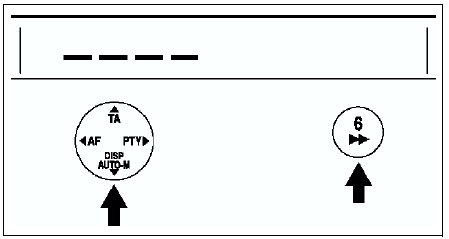
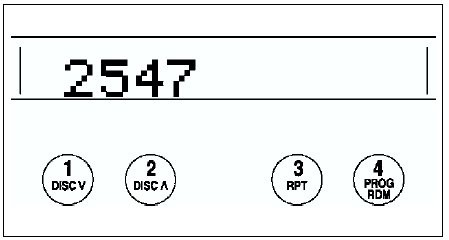
4. Use channel buttons 14 to input the current code number. Press button 1 for the first digit, 2 for the second, 3 for the third, and 4 for the last digit. Input the number within 10 seconds.
If the display is deleted, repeat the procedure from Step 1.
Note
- Perform Step 5 within 10 seconds after Step 4.
After it disappears, the code number is canceled.
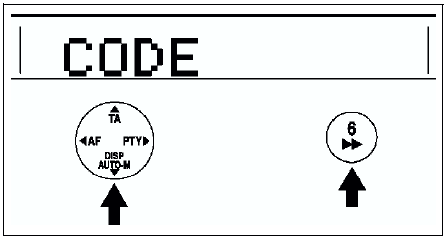
6. If Err (error) appears on the display, repeat the procedure from Step 4.
Canceling Anti-theft OperationProperly input the selected code number to deactivate the anti-theft system and resume normal audio operation.
1. Turn the ignition switch to ACC position. (CODE will flash on the display.)
2. First press the AUTO-M button, then simultaneously press channel button 6 for approximately 2 secondsuntil bars appears on the display.
Note
- Perform Step 3 within 10 seconds after Step 2.
If the display is deleted, repeat the procedure from Step 1.
Caution
- Three consecutive errors, including turning the ignition switch to LOCK position and disconnecting the audio unit, will activate the anti-theft system and render the audio unit completely inoperative.
5. If Err (error) appears on the display, repeat the procedure from Step 1.
Test yourself
A quick Mazda 6 quiz: every answer comes with an explanation and a link to the manual page.