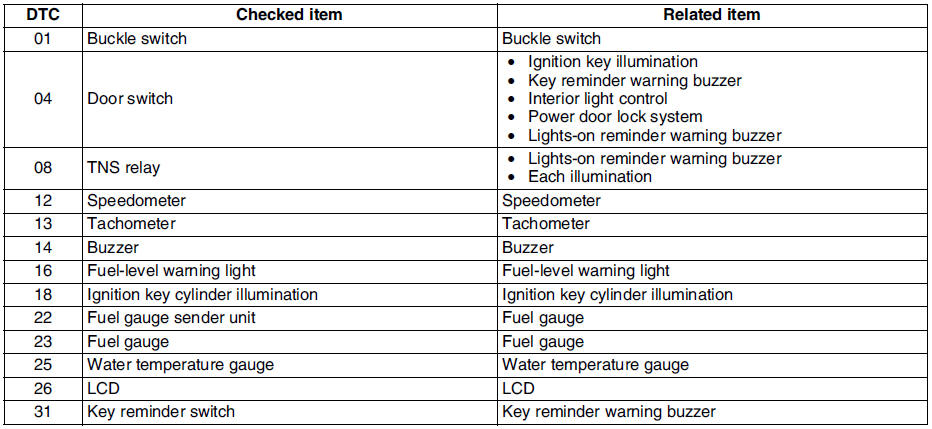
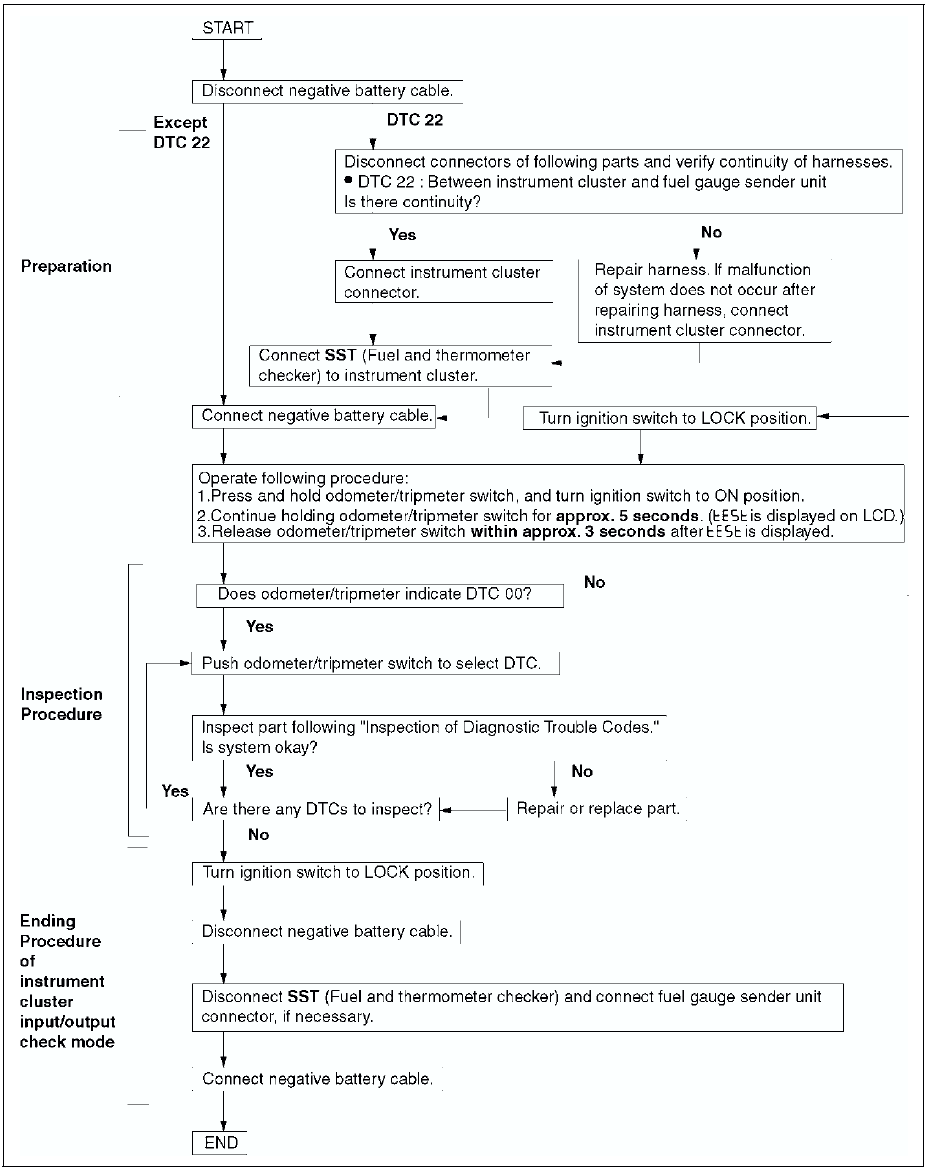
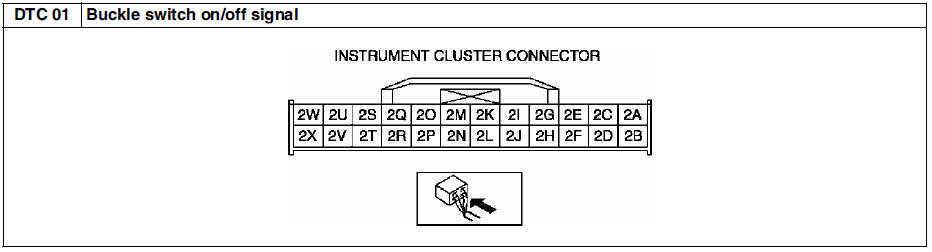
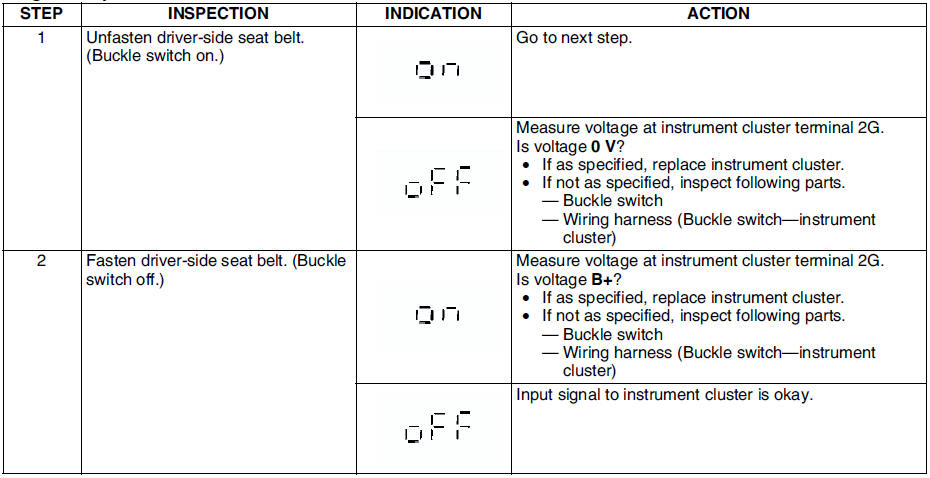
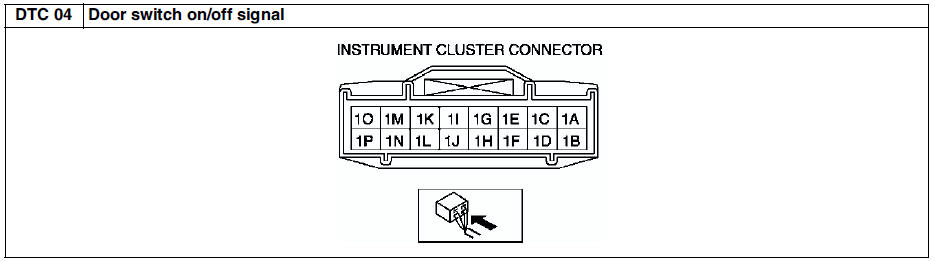
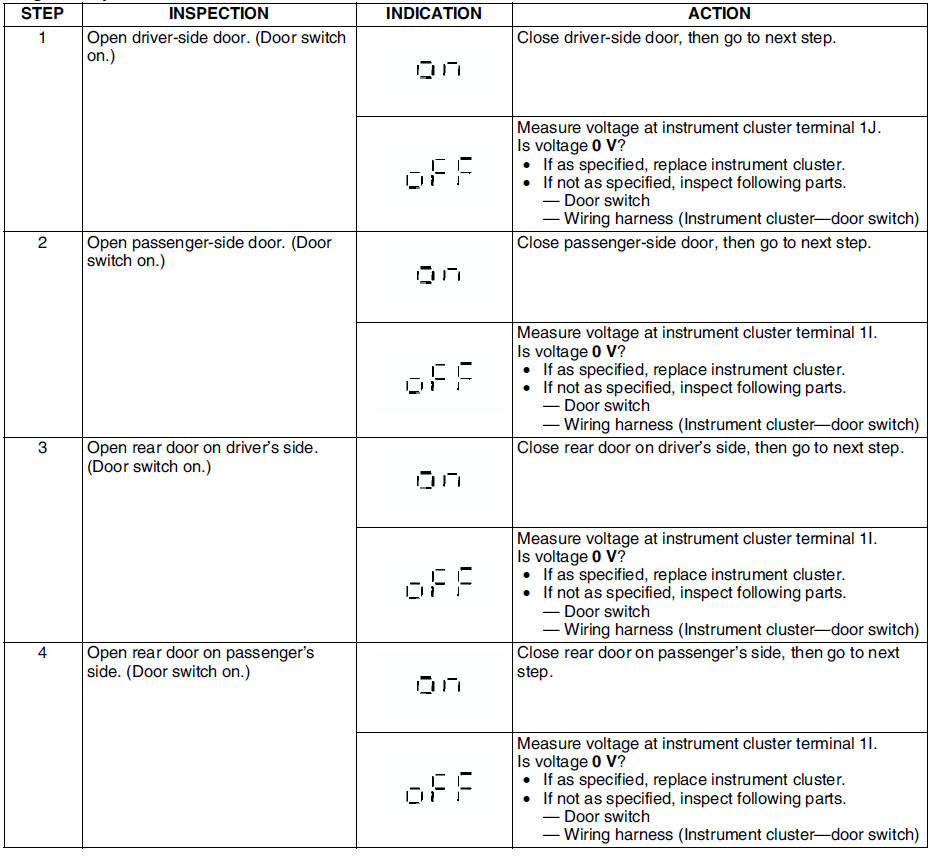
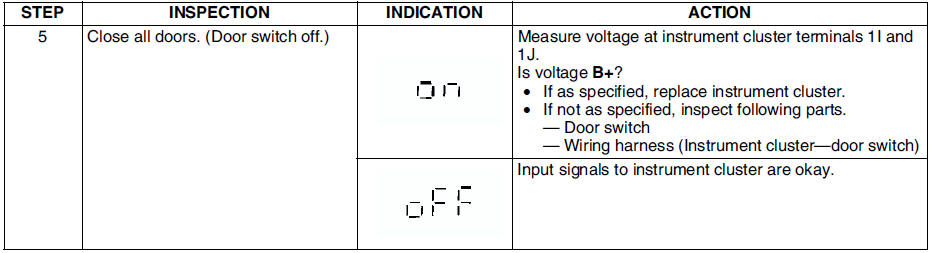
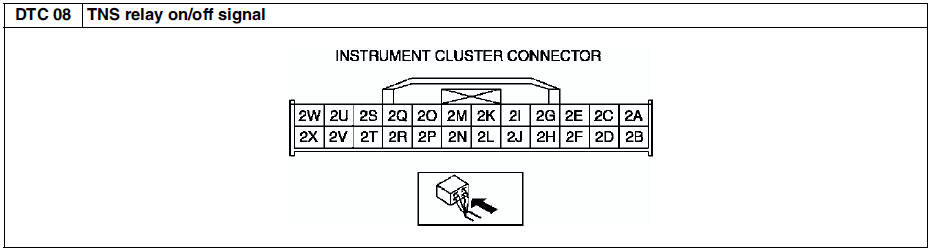
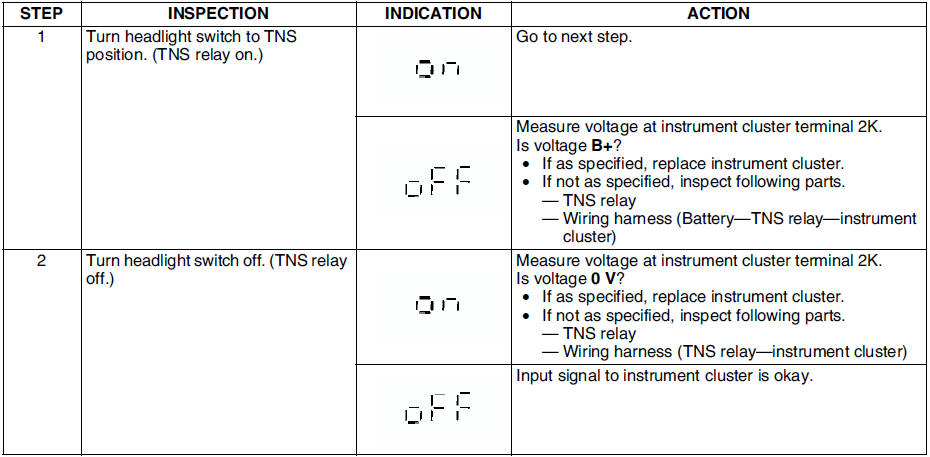
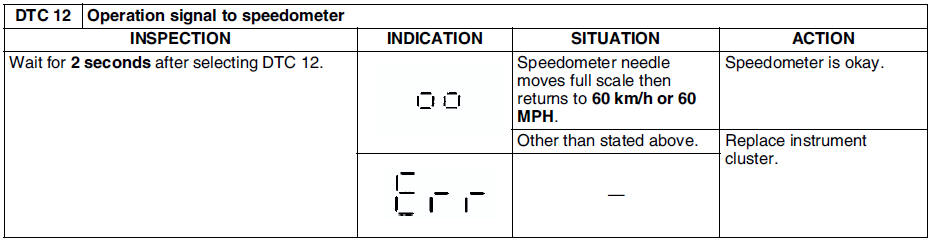
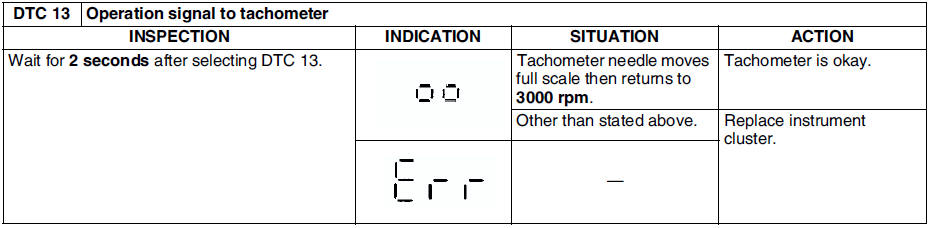
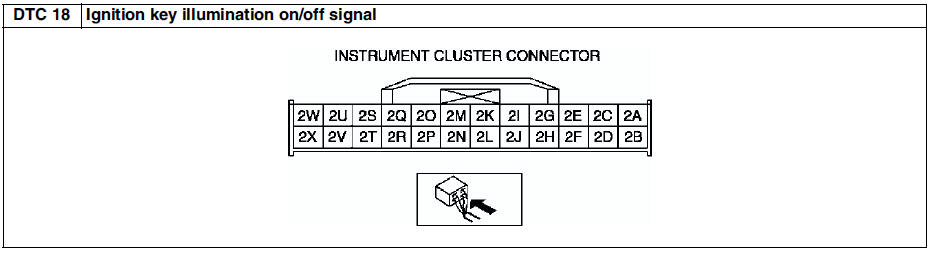
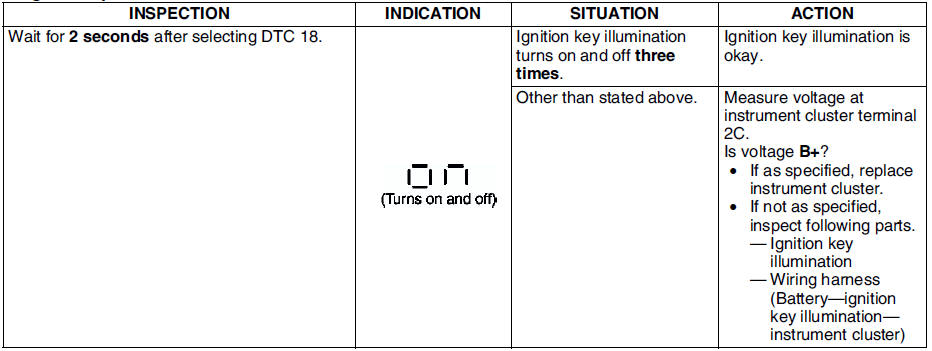
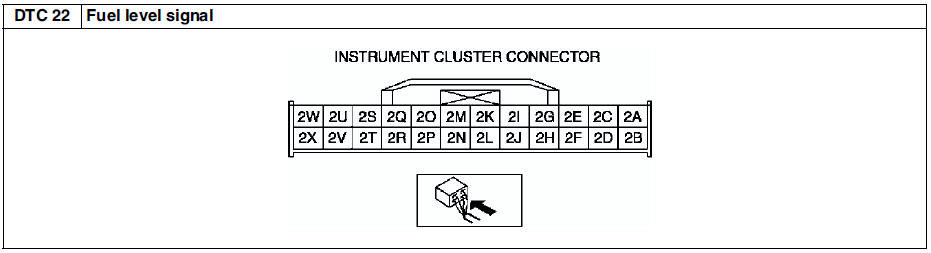
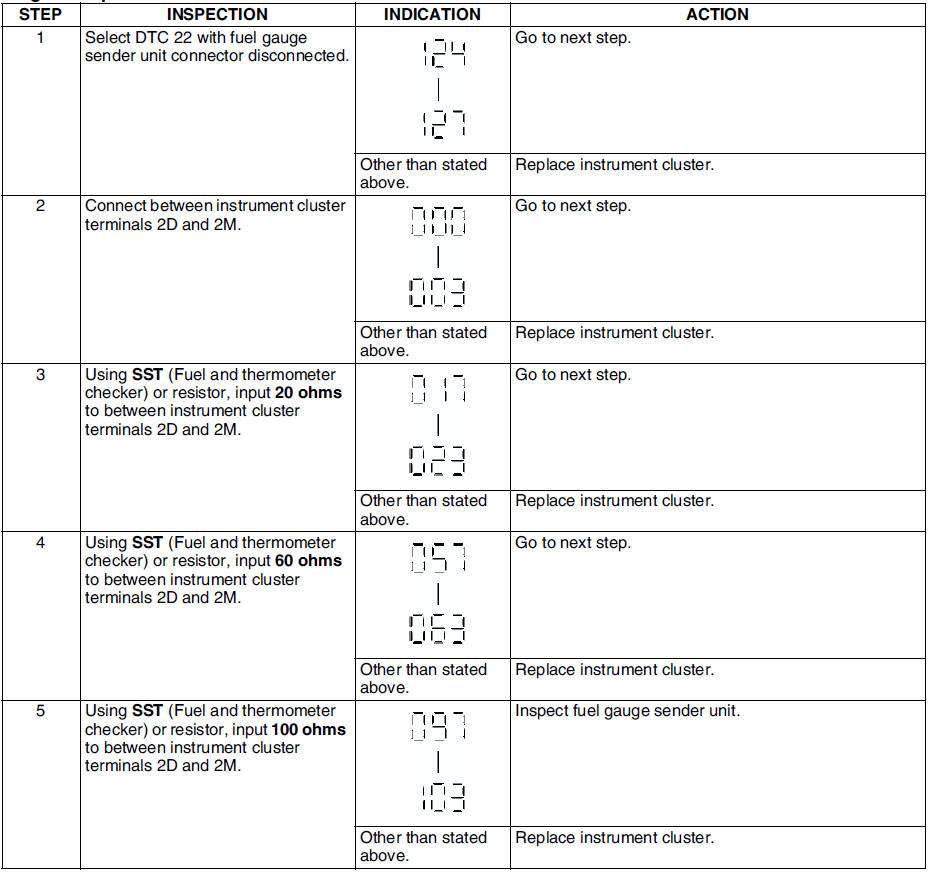
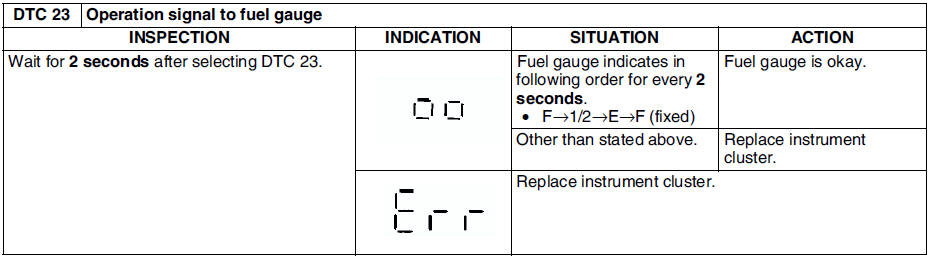
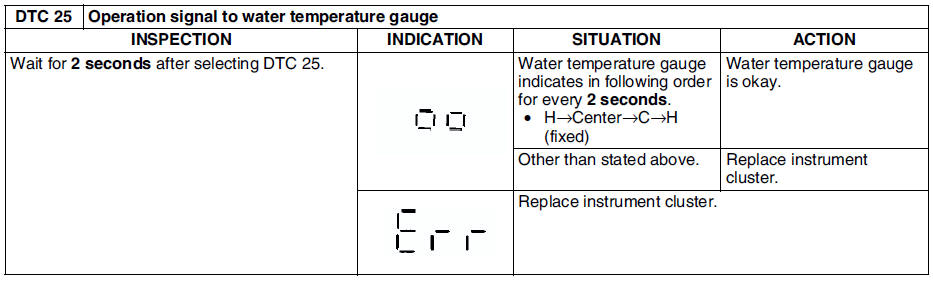
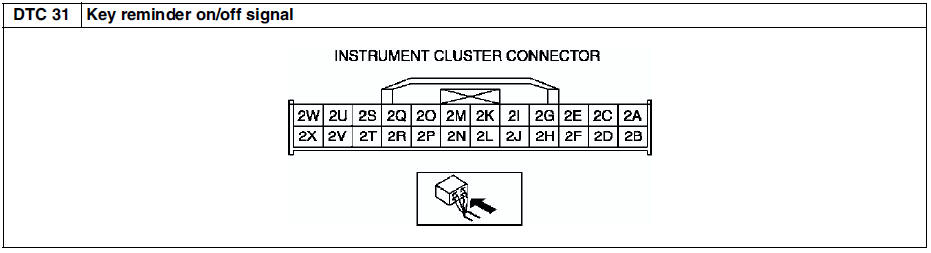
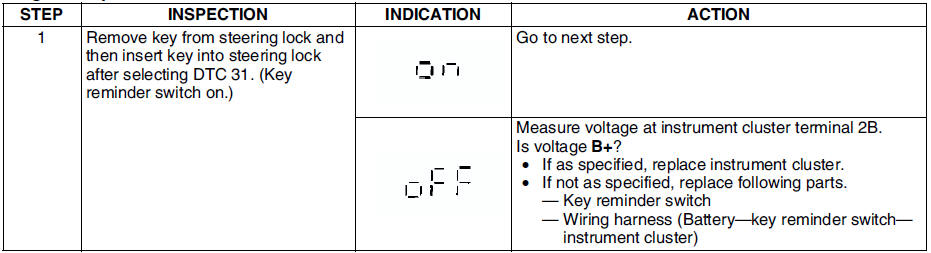
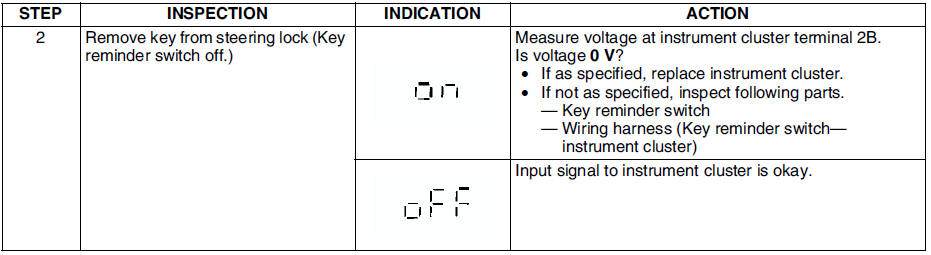
In this mode, it is possible to check the items in the following chart.
Diagnostic Trouble Code Chart Note
Diagnostic trouble codes which are not listed may be indicated, but they cannot be inspected.
The diagnostic trouble codes are displayed in numerical order. (While performing the inspection, if you want to inspect a diagnostic trouble code of which the number is smaller than the code number you are currently inspecting, terminate the check mode then repeat the inspection from the beginning.)
If the speed signal is put into the instrument cluster (the front wheels are rotated) while a code other than DTC 00 is display, the input/output check mode will be cancelled.
The diagnostic trouble codes can be fast-forwarded by pushing and holding the odometer/tripmeter switch for 1 second or more.
Operating Order Checking OrderNote
When inspecting more than two DTCs, perform the inspection by following the priority order of inspection indicated in the chart below.