On-board diagnostic test
1. Perform the necessary vehicle preparation and visual inspection.
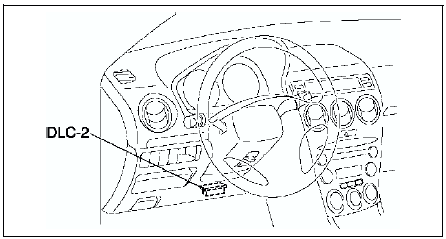
2. Connect WDS or equivalent to the vehicle DLC-2 16-pin connector located as shown in the figure.
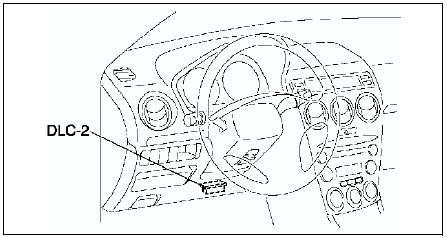
3. Retrieve DTCs by WDS or equivalent.
Pending Trouble Code Access Procedure1. Perform the necessary vehicle preparation and visual inspection.
2. Connect WDS or equivalent to the vehicle DLC-2 16-pin connector located as shown in the figure.
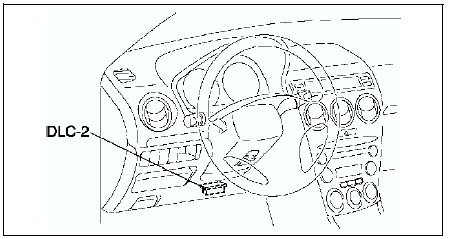
3. Retrieve PENDING TROUBLE CODES
by WDS or equivalent.
Freeze Frame PID Data Access Procedure1. Perform the necessary vehicle preparation and visual inspection.
2. Connect WDS or equivalent to the vehicle DLC-2 16-pin connector located as shown in the figure.
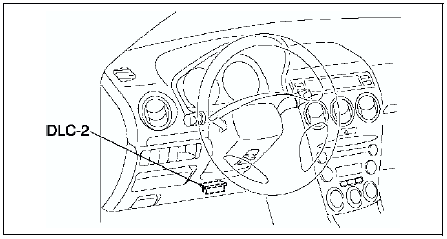
3. Record the FREEZE FRAME DATA by WDS or equivalent.
On-Board System Readiness Tests Access Procedure1. Perform the necessary vehicle preparation and visual inspection.
2. Connect WDS or equivalent to the vehicle DLC-2 16-pin connector located as shown in the figure.
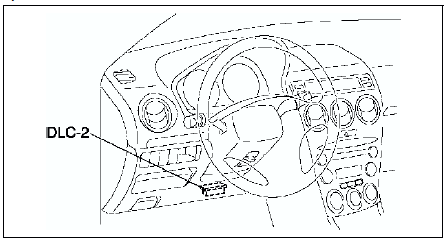
3. Monitor the OBD systems operating status by WDS or equivalent.
Diagnostic Monitoring Test Results Access Procedure1. Perform the necessary vehicle preparation and visual inspection.
2. Connect WDS or equivalent to the vehicle DLC-2 16-pin connector located as shown in the figure.
3. Access to the DIAGNOSTIC MONITORING TEST RESULTS and read the test results by WDS or equivalent.
Test yourself
A quick Mazda 6 quiz: every answer comes with an explanation and a link to the manual page.