Accessory socket
Use only genuine Mazda accessories or equivalent that do not require more than 120 W (12 V DC, 10 A).
Front
The ignition switch must be in ACC or ON.
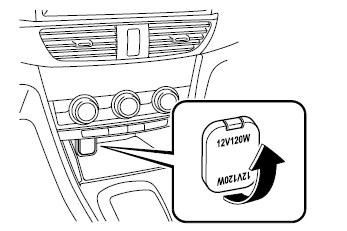
Centre
The accessory socket can be used regardless of whether the ignition switch is on or off.
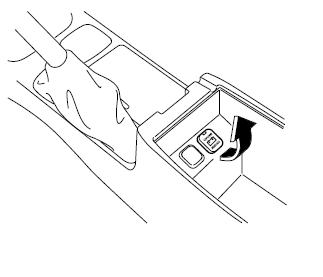
WARNING
To prevent damage to the accessory socket and electrical failure, observe the following precautions:
- Do not use accessories that require more than 120 W (12 V DC, 10 A).
- Do not use accessories other than genuine Mazda accessories or equivalent.
- Keep the cover closed when the accessory socket is not in use to prevent foreign objects and liquids from entering it.
- Insert the accessory plug fully into the accessory socket.
Noise may be heard in the audio playback depending on the device connected to the accessory socket.
Depending on the device connected to the accessory socket, the vehicle's electrical system may be affected, which may cause the indicator light to come on.
Disconnect the connected device and make sure the problem is resolved. If the problem is resolved, remove the device from the socket and turn the ignition switch off. If the problem is not resolved, contact an authorized Mazda dealer.
NOTE
To prevent battery discharge, do not use the accessory socket for long periods when the engine is idling or stopped.
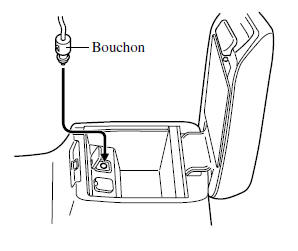
Connecting the accessory socket
- Open the cover.
- Pass the plug cord through the opening in the console and insert the plug into the accessory socket.
Test yourself
A quick Mazda 6 quiz: every answer comes with an explanation and a link to the manual page.