Monitor, climate, audio, phone and voice recognition systems
Giving voice commands
In this manual: Monitor, climate, audio, phone and voice recognition systems
~1min read
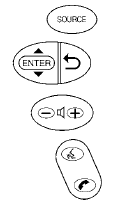
1. Press and release the  switch located on the steering wheel.
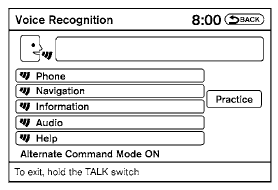
2. A list of commands appears on the screen, and the system announces, “Please say a command from the displayed list or say Help to show all commands.”
3. After the tone sounds and the icon on the screen changes from  to
 , speak a command.
4. Once a command is recognized, the system will announce the recognized command and perform the requested action.
If the command is not recognized, the system repeats the announcement. Repeat the command in a clear voice after the tone.
Test yourself
A quick Nissan Altima quiz: every answer comes with an explanation and a link to the manual page.
Was this page helpful?