Having the system learn the user’s voice
1. Press the SETTING button on the instrument panel, select the “Others” key on the display.
2. Select the “Voice Recognition” key.
3. Select the “Speaker Adaptation” key.
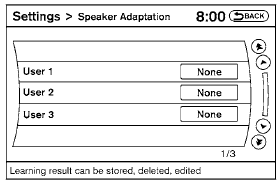
4. Select the user whose voice is to be memorized by the system.
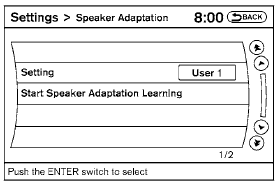
5. Select a category to be learned by the system from the following list:
● Phone
● Navigation
● Information
● Audio
● Help
The voice commands in the category are displayed.
6. Select a voice command to train.
The Voice Recognition system starts.
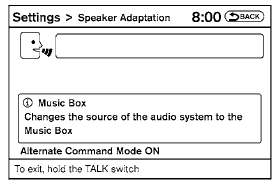
7. The system requests that you repeat a command after a tone. This command is also displayed on the screen.
8. After the tone sounds and the icon on the screen changes from  to
 , speak the command that the system requested.
9. When the system has recognized the voice command, the voice of the user is learned.
Press the  switch or select the “Back” key to return to the previous screen.
If the system has learned the command correctly, the voice command indicator on the screen turns on.
Test yourself
A quick Nissan Altima quiz: every answer comes with an explanation and a link to the manual page.