Eco information
The following ECO INFO mode will appear on the display by pushing the ECO information button, then turning the selection dial to scroll through the different screens.
While driving, only one ECO information screen is displayed. The vehicle must be stopped to scroll through the different screens.
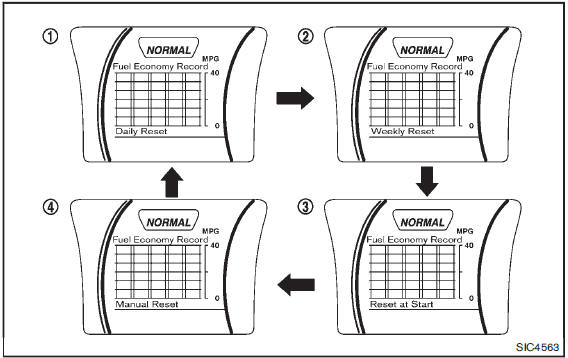
Daily Reset
Records of up to the past 4 days of fuel consumption can be shown on the display.
Weekly Reset
Records of up to the past 4 weeks of each week’s fuel consumption can be shown on the display.
NOTE: When the clock is not set, the ECO information (daily and weekly) cannot be used.Reset at Start
Records of up to the past 4 times of each time of ignition switch ON fuel consumption can be shown on the display.
Manual Reset
Records of up to the past 4 times of resetting fuel consumption can be shown on the display.
The displayed ECO INFO can be reset by pushing the ENTER button for longer than 1 second.