Electrical & Power Control
Battery Tray
In this manual: Electrical & Power Control
~1min read
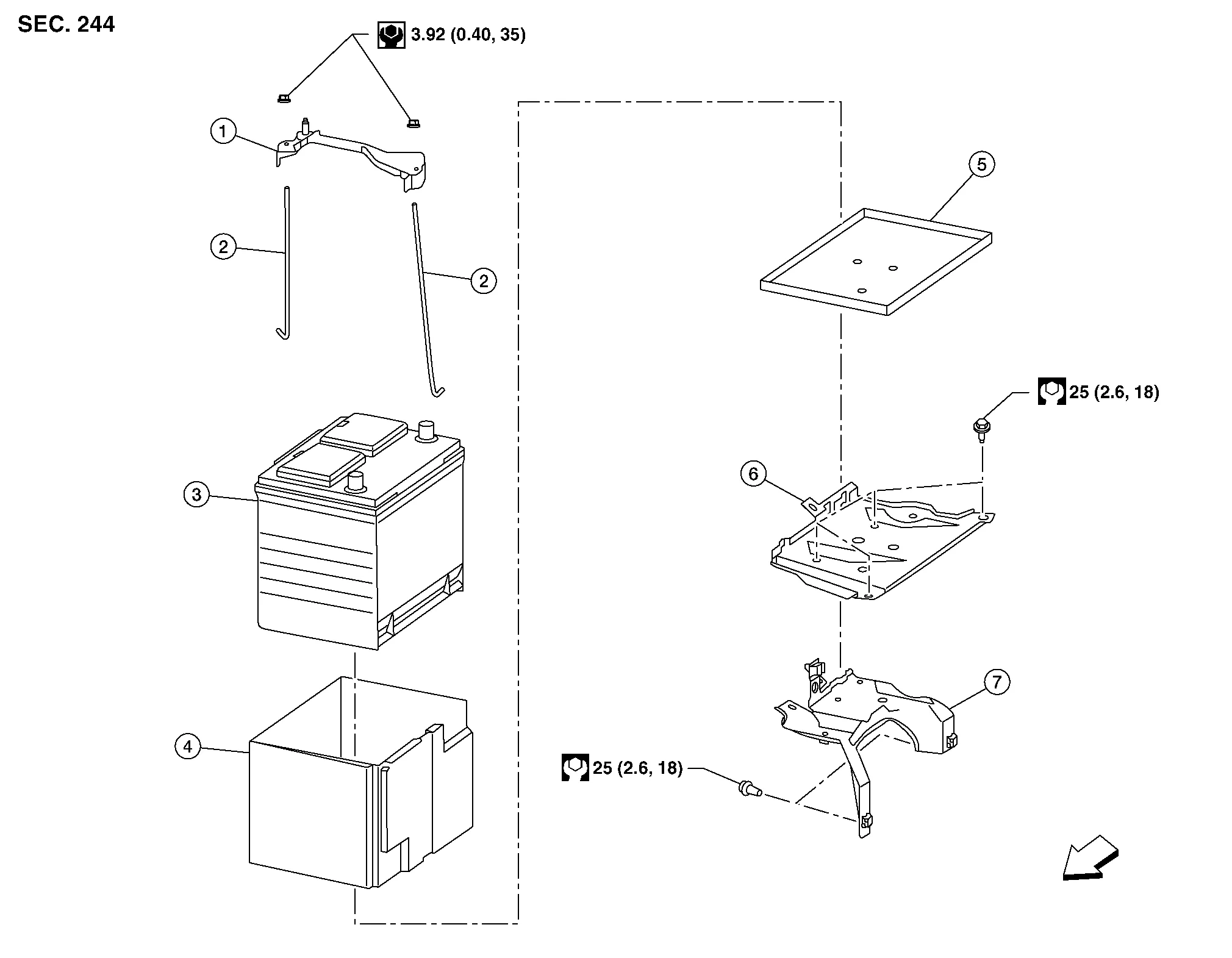
| 1. | Battery frame | 2. | Battery rods | 3. | Battery |
| 4. | Battery cover | 5. | Battery tray liner | 6. | Battery tray |
| 7. | Battery tray support |  |
Front |
REMOVAL
Remove the battery. Refer to Removal and Installation.
Remove the air cleaner and air duct. Refer to Removal and Installation.
Disconnect the transmission control module (TCM). Refer to Exploded View.
Remove the ECM bracket.
Remove the battery tray bolts and battery tray.
Remove the battery tray support bolts and battery tray support.
INSTALLATION
Installation is in the reverse order of removal.
Reset electronic systems as necessary. Refer to Special Repair Requirement.
Was this page helpful?