Diagnosis and Repair Workflow
OVERALL SEQUENCE
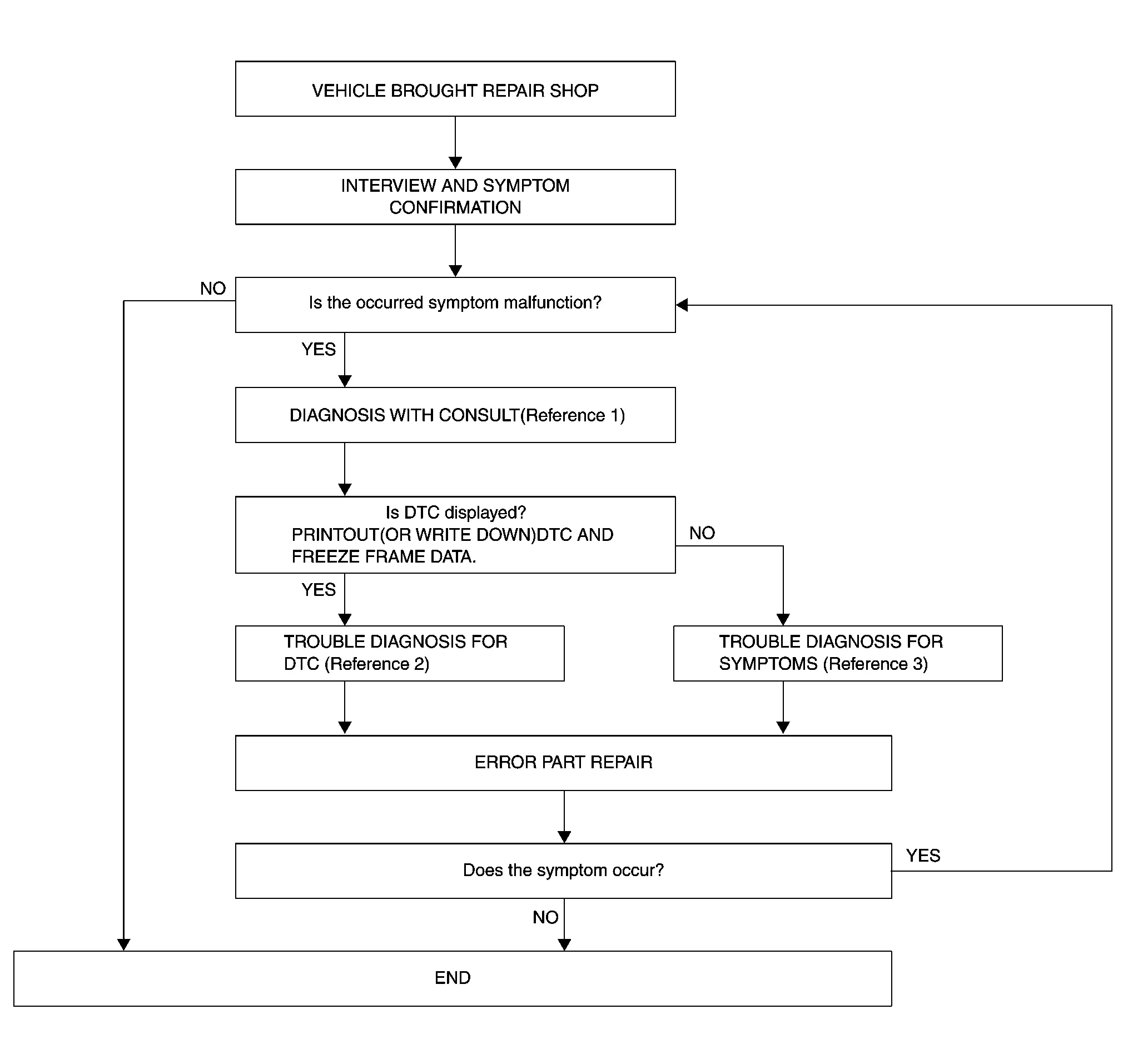
Reference 1: Refer to CONSULT Function.
Reference 2: Refer to DTC Index.
Reference 3: Refer to Symptom Table.
DETAILED FLOW
INTERVIEW AND SYMPTOM CONFIRMATION
Check the malfunction symptoms by performing the following items:
Interview the customer to obtain the malfunction information (conditions and environment when the malfunction occurred).
Check the symptom.
Is the occurred symptom a malfunction?
YES>>GO TO 2.
NO>>Inspection End.
DIAGNOSIS
 CONSULT
Select “Self Diagnostic Result” mode of “AVM”. Refer to CONSULT Function.
When DTC is detected, follow the instructions below:
Record DTC and Freeze Frame Data (FFD).
Is DTC displayed?
YES>>GO TO 3.
NO>>GO TO 4.
TROUBLE DIAGNOSIS FOR DTC
CONSULT
Check the DTC indicated in the “Self Diagnostic Result”.
Perform the relevant diagnosis referring to the DTC Index. Refer to DTC Index.
GO TO 5.
TROUBLE DIAGNOSIS FOR SYMPTOMS
Perform the relevant diagnosis referring to the diagnosis chart by symptom. Refer to Symptom Table.
>>GO TO 5.
ERROR PART REPAIR
CONSULT
Repair or replace the identified malfunctioning parts.
Select “Self Diagnostic Result” mode of “AVM”.
Check that the symptom does not occur.
Does the symptom occur?
YES>>GO TO 1.
NO>>Inspection End.