Fuse Inspection
If fuse is blown, be sure to eliminate cause of malfunction before installing new fuse.
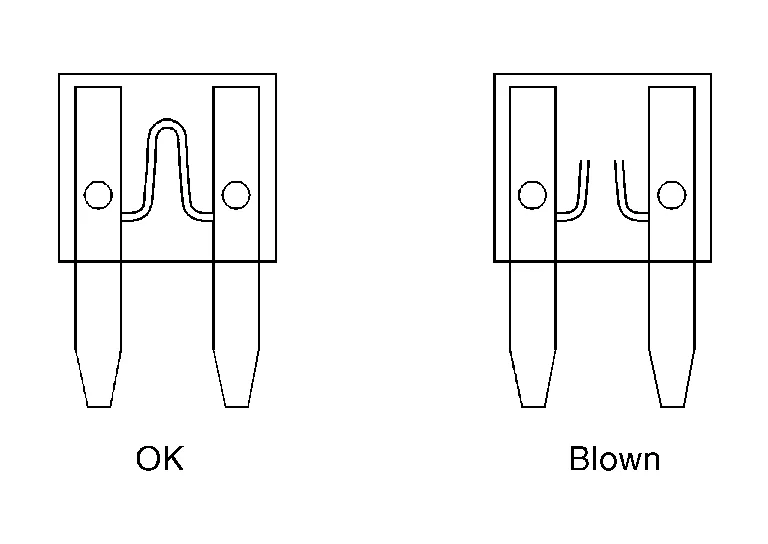
Use fuse of specified rating. Never use fuse of more than specified rating.
Do not partially install fuse; always insert it into fuse holder properly.
Remove fuse for “ELECTRICAL PARTS (BAT)” if Nissan Murano vehicle is not used for a long period of time.
EXTENDED STORAGE SWITCH (IF EQUIPPED)
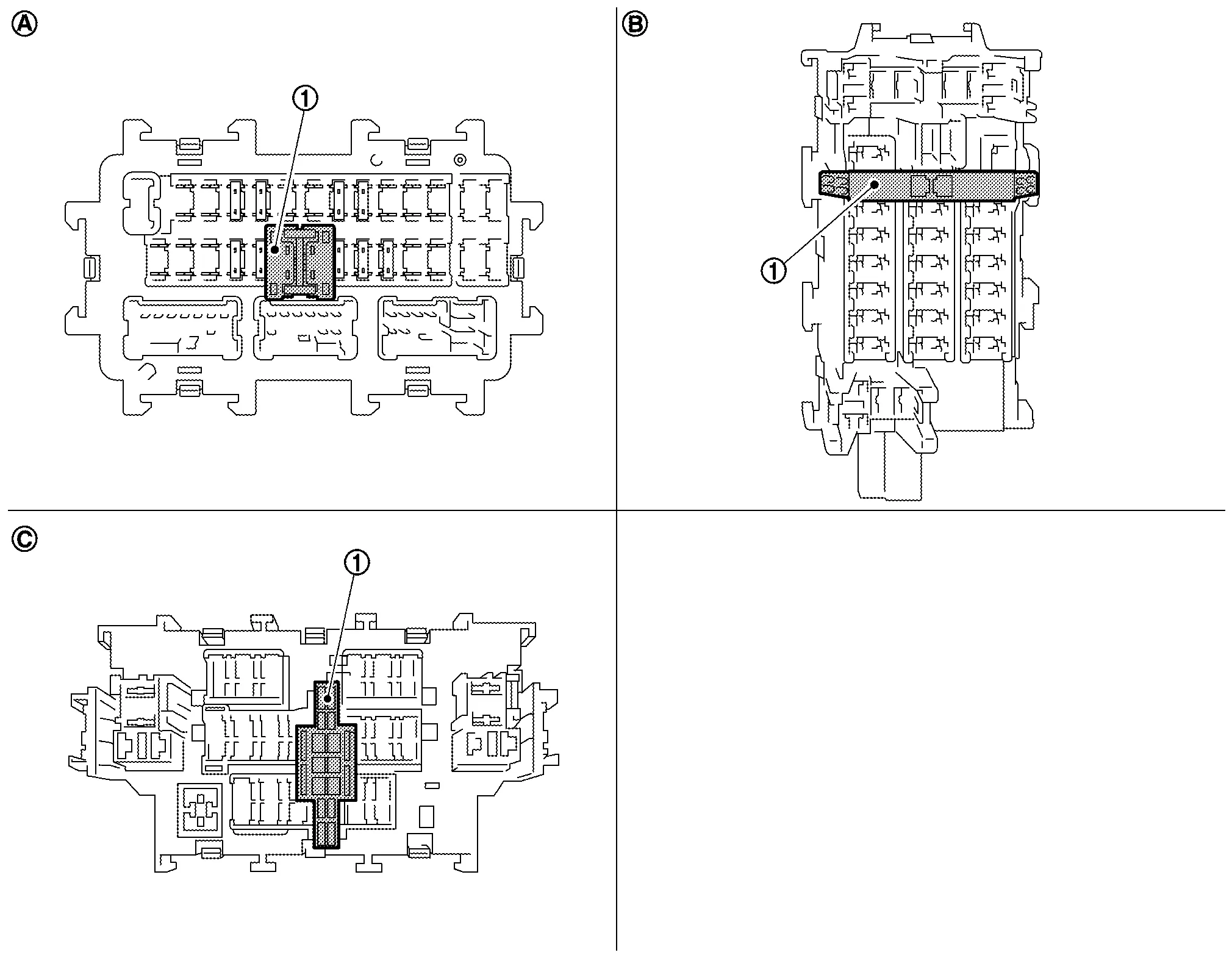
The following switch may be mounted on the fuse block (Junction Box) for transportation and storage.
 |
Extended storage switch | ||||
 |
Type A |  |
Type B |  |
Type C |
Remove the extended storage switch if it interferes when checking fuses.
How/When to turn Extended Storage Switch ON/OFF
Type A
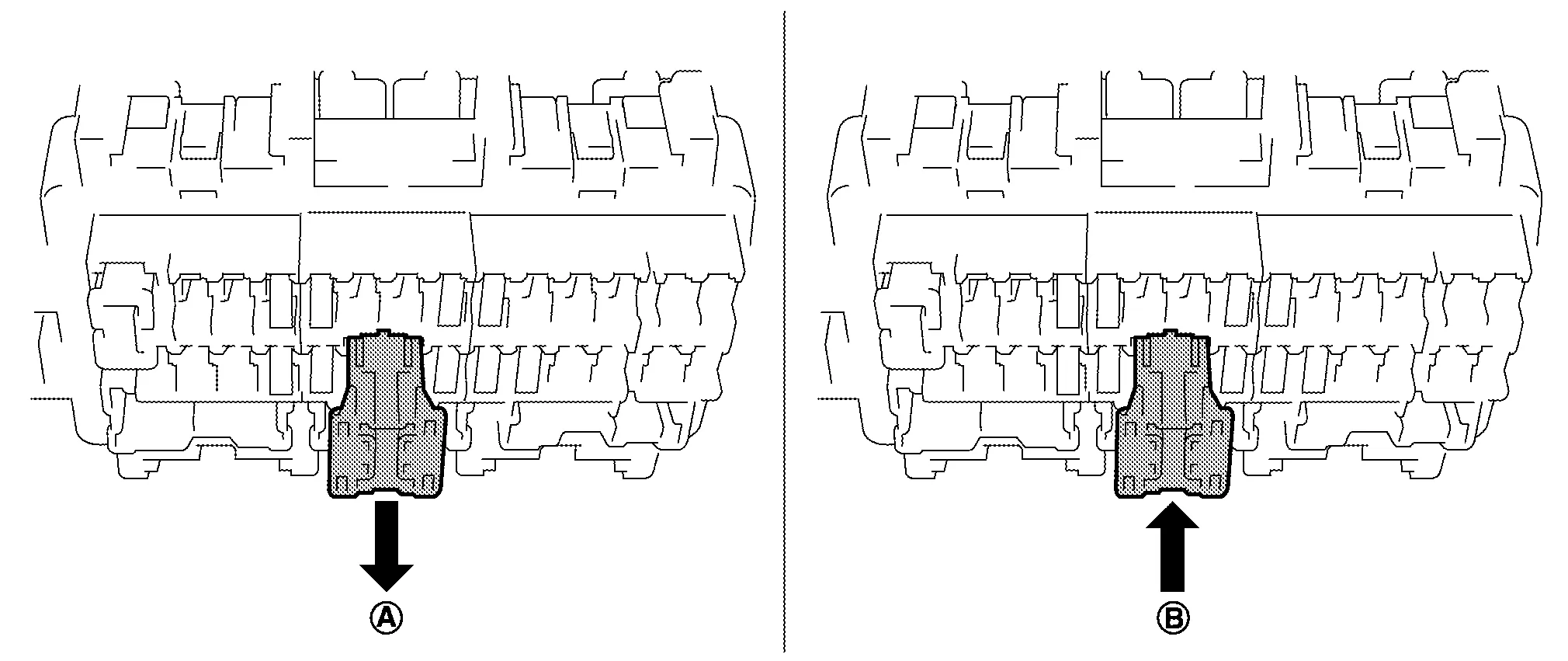
To place the extended storage switch in the OFF position, pull out in
direction as shown in the figure.To place the extended storage switch in the ON position, press in
direction as shown in the figure.
Type B

To place the extended storage switch in the OFF position, pinch tabs
of the switch and pull out in direction as shown in the figure.To place the extended storage switch in the ON position, press in
direction as shown in the figure.
Type C
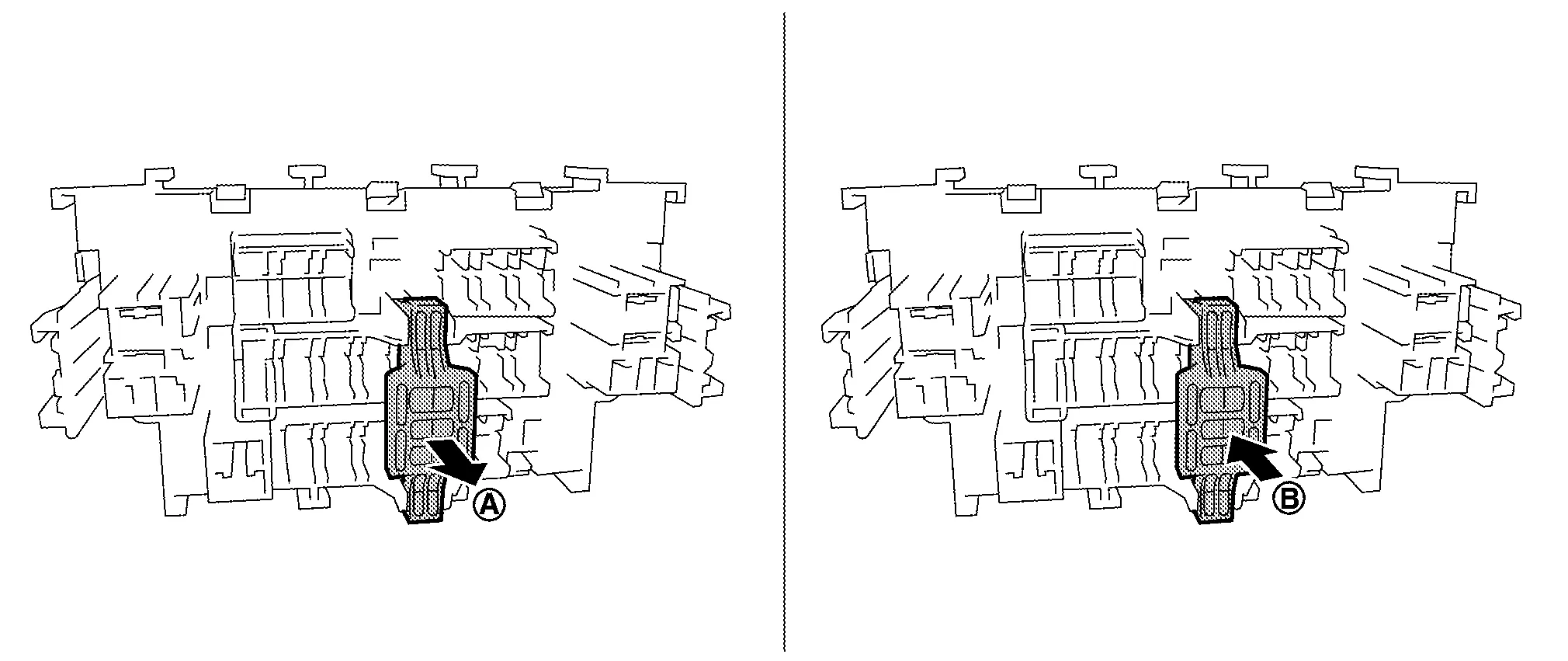
To place the extended storage switch in the OFF position, pull out in
direction as shown in the figure.To place the extended storage switch in the ON position, press in
direction as shown in the figure.
How To Remove Extended Storage Switch
Type A
Ignition switch OFF.
Place the extended storage switch in the OFF position.
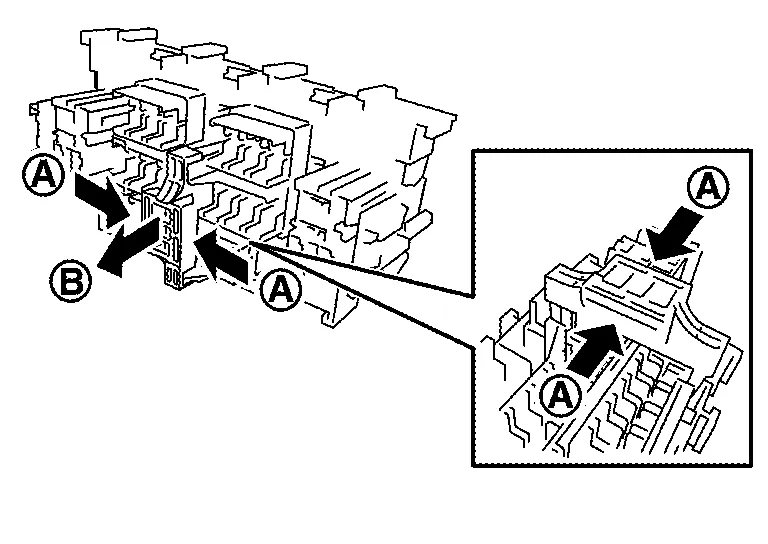
Pinch tabs
and tilt to disengage the extended storage switch. Pinch tabs to remove the extended storage switch.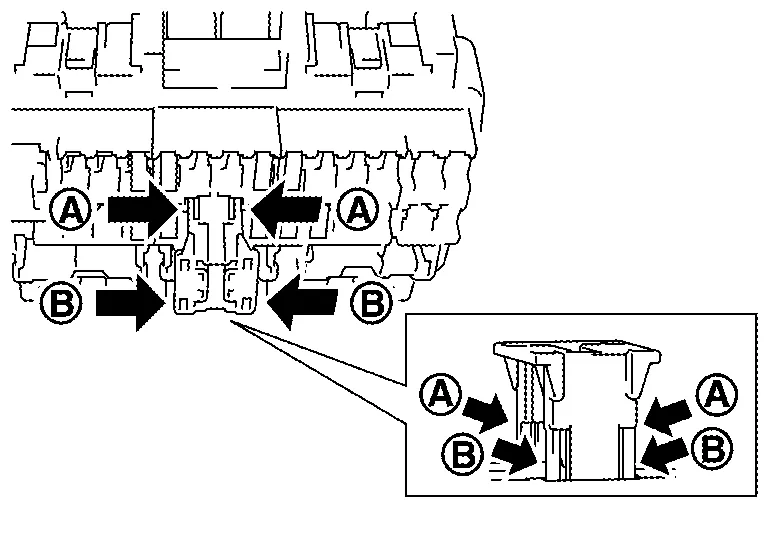
Type B
Ignition switch OFF.
Place the extended storage switch in the OFF position.
Pinch tabs
and firmly pull out the extended storage switch in direction.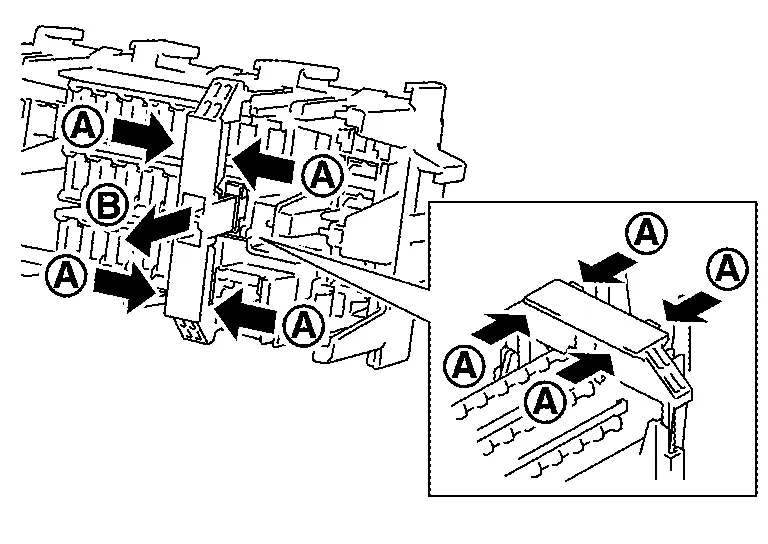
Type C
Ignition switch OFF.
Place the extended storage switch in the OFF position.
Pinch tabs
and firmly pull out the extended storage switch in direction.