Starting and driving
How to enable/disable the LDW system
In this manual: Starting and driving
7steps
~42min
2/5difficulty
Done 0 of 7
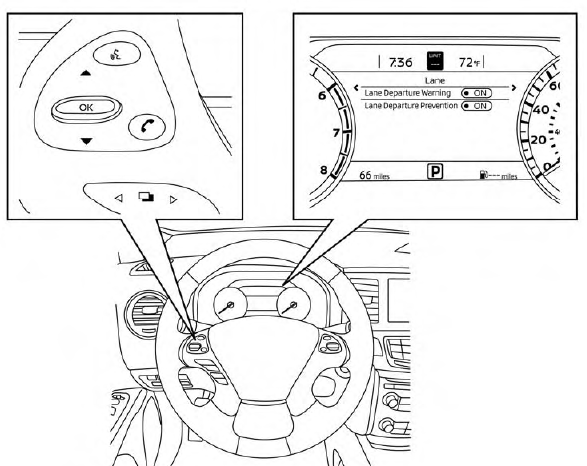
Perform the following steps to enable or disable the LDW system.
Using “Settings” in the vehicle information display:
- Press the
 button until “Settings” displays in the vehicle information display and then press the OK button. Use the
 button to select “Driver Assistance.” Then press the OK button.
- Select “Lane” and press the OK button.
- Select “Lane Departure Warning” and press the OK button to turn the system on or off.
Using the “Driving Aids” screen in the vehicle information display:
- Use the
 buttons on the steering wheel to scroll to the Driving Aids screen.
- Press the OK button to access the Driver Assistance menu.
- Select “Lane” and press the OK button until “Lane Warning” is displayed.
- Press the
 buttons to return to the Driving LSD3429 Aids screen.
Was this page helpful?