Linking Key Fob to the Meter Display
SYSTEM DIAGRAM
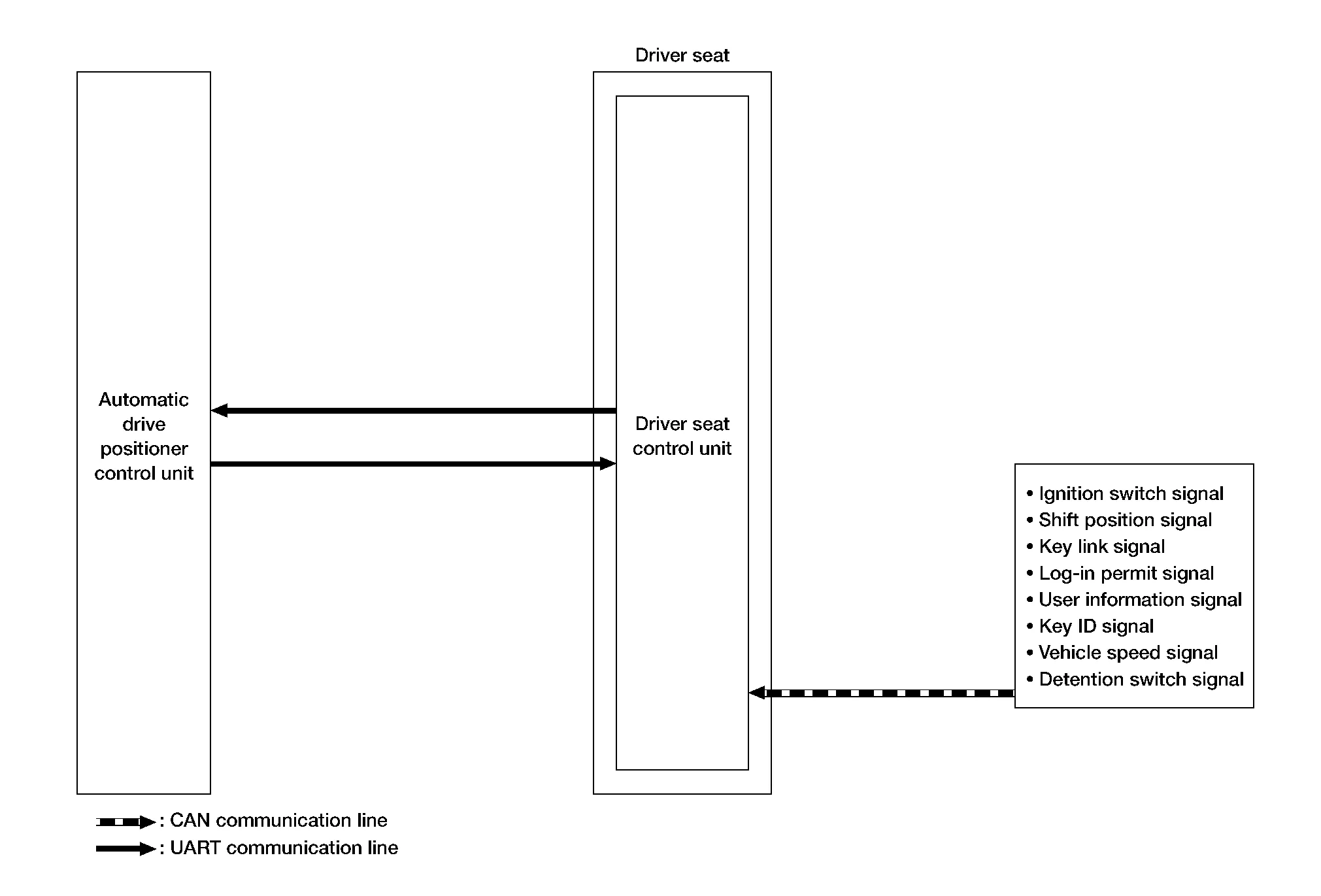
SIGNAL TRANSMISSION FUNCTION LIST
Several types of signals are transmitted from the following units to the driver seat control unit via CAN communication.
| Component | Signal |
|---|---|
| ABS actuator and electric unit (control unit) | Nissan Murano Vehicle speed signal |
| Combination meter | Vehicle speed signal |
| BCM |
|
| TCM | Shift position signal |
| AV control unit | User information signal |
| IPDM E/R | Detention switch signal |
DESCRIPTION
Log-in function is the function that registers the setting status of various systems and retrieves the status for each Intelligent Key as desired.
Registered information is automatically adjusted to the driving position (seat, steering column, and door mirror position) registered by unlocking the driver side door with the Intelligent Key or by operating the user selection function on the display.
When user selection is performed by display operation, the user information registered with another Intelligent Key can also be retrieved.
| Item | Request status |
|---|---|
| Ignition position | ON |
| Driver side door | Close |
| Navigation system | Activated |
| CONSULT | Not connected |
Operation Procedure
Ignition switch ON.
Push desired user change switch on display.
Driver seat, steering and door mirror will move to the memorized position.
Operation Condition
All of the following conditions must be satisfied in order to retrieve the registration information of the log-in function.
If one of the following conditions is not satisfied, the interlocked operation of the driving position for log- in function is interrupted.
| Item | Request status |
|---|---|
| Ignition position | ON |
| Navigation system | Activated |
| Initialization | Done |
Switch inputs
|
OFF (Not operated) |
| CVT shift selector | P position |
| Log-in function memory | Registered |
| Nissan Murano Vehicle speed | 0 km/h |
| CONSULT | Not connected |