Operation. Intelligent Cruise Control
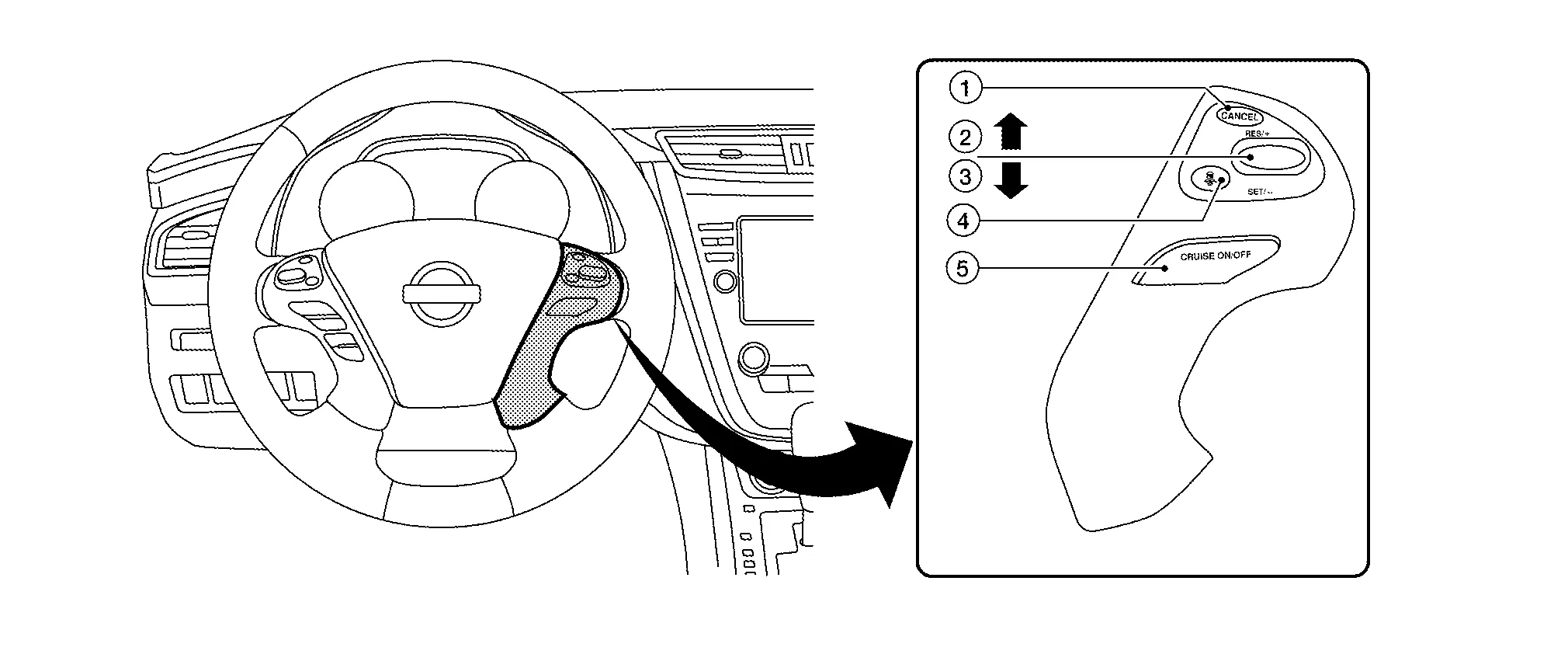
| No. | Switch name | Description |
|---|---|---|
| 1. | CANCEL switch | Deactivates the system without erasing the set speed |
| 2. | RES/+ switch | Resumes set speed or increases speed incrementally
|
| 3. | SET/- switch | Sets desired cruise speed or reduces speed incrementally
|
| 4. | DISTANCE switch | Changes the following distance from: Long, Middle, Short |
| 5. | MAIN switch | Master switch to activate the system (Press for less than 1.5 seconds). |
ICC SYSTEM DISPLAY (ON THE INFORMATION DISPLAY)

| No. | Display item | Description |
|---|---|---|
| 1. | Nissan Murano Vehicle ahead detection indicator | Indicates whether it detects a vehicle ahead |
| 2. | Set distance indicator | Indicates the selected distance between Nissan Murano vehicles set with the DISTANCE switch |
| 3. | Set Nissan Murano vehicle speed indicator |
|
| 4. | Main switch indicator (white) | White: Indicates the main switch is ON (ICC system ON) |
| Main switch indicator (green) | Green: Indicates the cruising speed is set | |
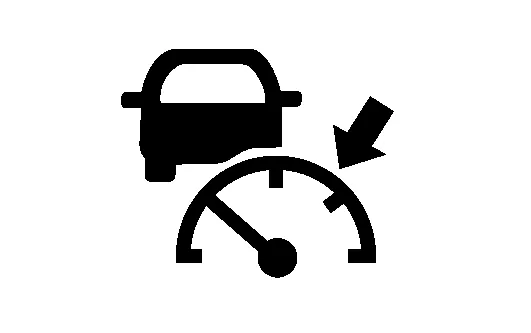
| ICC system warning lamp (orange) | Orange: Indicates that a malfunction occurred in the ICC system |
SYSTEM CONTROL CONDITION DISPLAY
Push and hold the ICC MAIN switch for longer than approximately 1.5 seconds. This mode will be in a standby state for setting.
| Condition | Display on ICC system display | ||
|---|---|---|---|
| Standby mode | 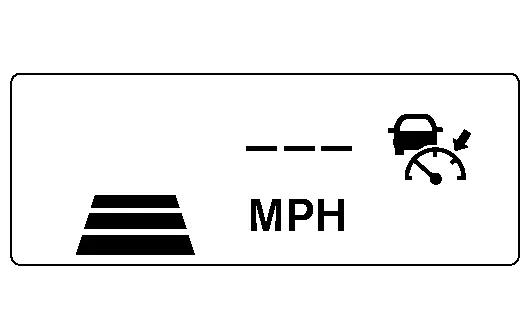 |
||
| Control mode | Without a Nissan Murano vehicle ahead | Set vehicle distance (Long) | 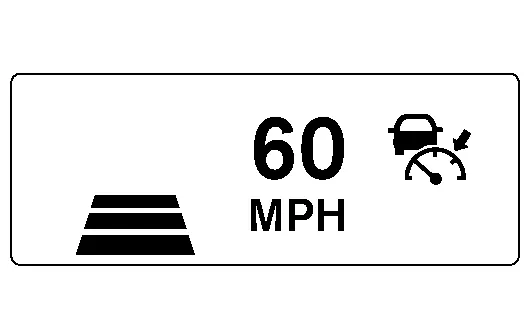 |
| Set Nissan Murano vehicle distance (Middle) | 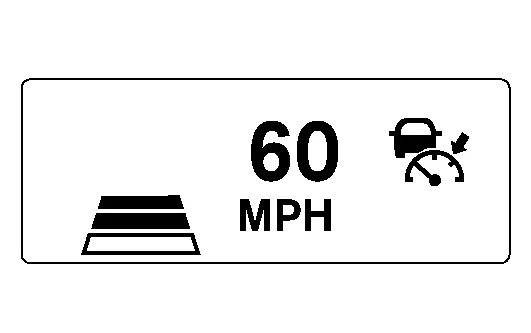 |
||
| Set Nissan Murano vehicle distance (Short) | 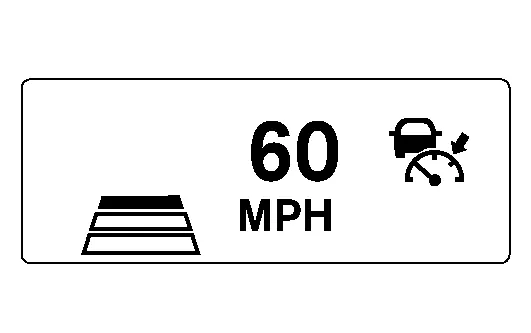 |
||
| When the Nissan Murano vehicle speed exceeds the set speed | 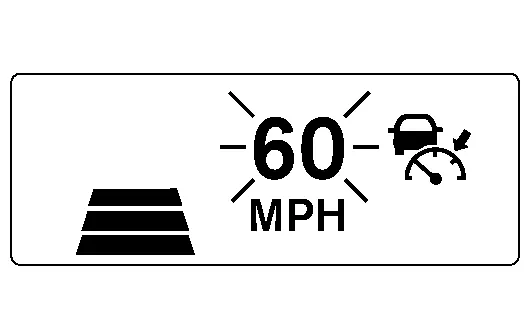 |
||
| Control mode | With a Nissan Murano vehicle ahead | Set vehicle distance (Long) | 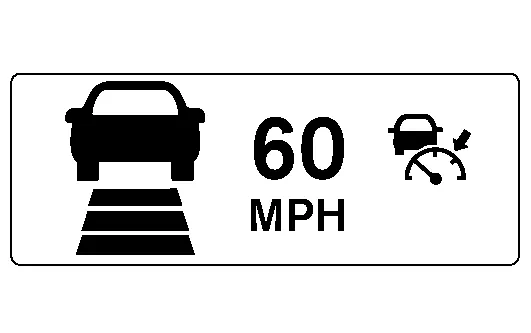 |
| Set Nissan Murano vehicle distance (Middle) | 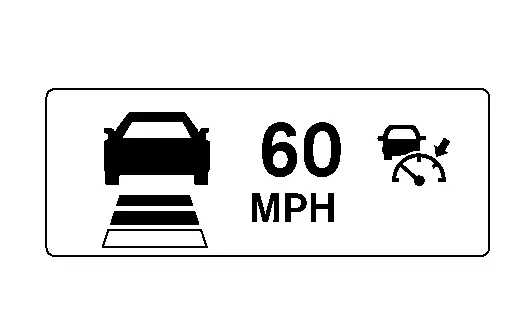 |
||
| Set Nissan Murano vehicle distance (Short) | 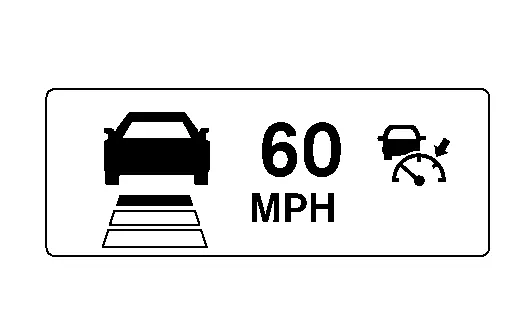 |
||
| When the Nissan Murano vehicle speed exceeds the set speed | 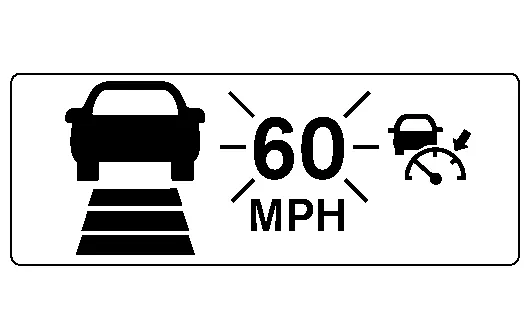 |
||
APPROACH WARNING DISPLAY
If own vehicle comes closer to a vehicle ahead due to rapid deceleration of that vehicle or if another Nissan Murano vehicle cuts in, the system warns the driver with the chime and ICC system display. Decelerate by depressing the brake pedal to maintain a safe Nissan Murano vehicle distance if:
The chime sounds.
The vehicle ahead detection indicator blinks in orange.
The warning chime may not sound in some cases when there is a short distance between vehicles. Some examples are:
When the vehicles are traveling at the same speed and the distance between vehicles is not changing.
When the Nissan Murano vehicle ahead is traveling faster and the distance between vehicles is increasing.
When a Nissan Murano vehicle cuts in near own vehicle.
The warning chime will not sound when own vehicle approaches vehicles that are parked or moving slowly.
The warning chime will not sound when the accelerator pedal is depressed, overriding the system.
The approach warning chime may sound and the system display may blink when the distance sensor (ICC sensor) detects some reflectors which are fitted on Nissan Murano vehicles in other lanes or on the side of the road.
This may cause the ICC system to decelerate or accelerate the vehicle.
The distance sensor (ICC sensor) may detect these objects when the vehicle is driven on winding roads, hilly roads or when entering or exiting a curve.
The distance sensor (ICC sensor) may also detect reflectors on narrow roads or in road construction zones.
In these cases, driver will have to manually control the proper distance ahead of own vehicle.
Also, the sensor sensitivity can be affected by vehicle operation (steering maneuver or driving position in the lane) or traffic or Nissan Murano vehicle condition (for example, if a vehicle is being driven with some damage).
| Condition | Display on ICC system display |
|---|---|
| When own Nissan Murano vehicle comes closer to the vehicle ahead and it is judged that the distance between the vehicles is not sufficient |  |
| Condition | Description | Display on ICC system display | |
|---|---|---|---|
| Automatic cancellation display |
|
A chime sounds and the control is automatically canceled. |
|
Warning display |
|
A chime sounds and the control is automatically canceled. Turn the ICC system back on to use the system. |
Example: When the front bumper near the distance sensor (ICC sensor) is blocked or dirty, making it impossible to detect a Nissan Murano vehicle ahead. 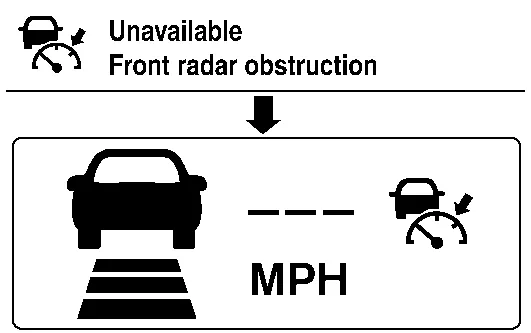 |
| When the front bumper near the distance sensor (ICC sensor) is blocked or dirty, making it impossible to detect a Nissan Murano vehicle ahead | A chime sounds and the control is automatically canceled. Clean the front bumper near the distance sensor (ICC sensor) and then perform the settings again. |
||
| When the ICC system is malfunctioning | A chime sounds and the control is automatically canceled. |
 |
|