Starting and driving
Turning the AEB system on/off
In this manual: Starting and driving
3steps
~18min
2/5difficulty
Done 0 of 3
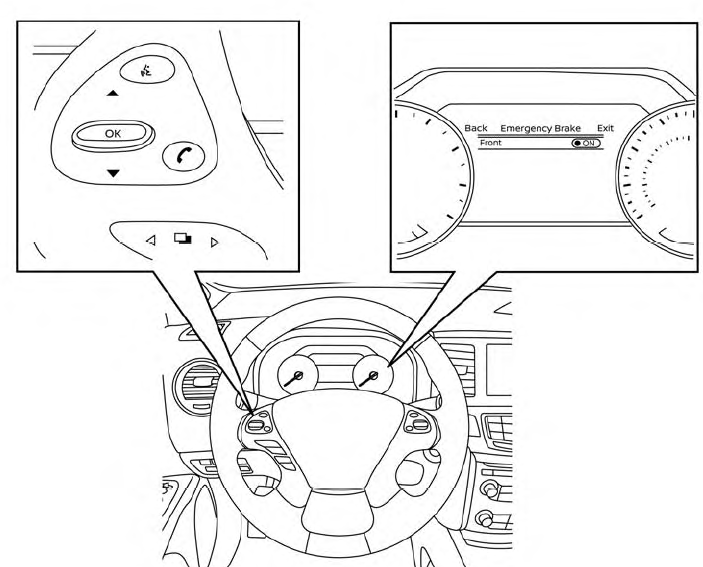
Perform the following steps to turn the AEB system on or off.
- Press the
 button until “Settings” displays in the vehicle information display and then press the OK button. Use the
 button to select “Driver Assistance.” Then press the OK button.
- Select “Emergency Brake” and press the OK button.
- Select “Front” and press the OK button. When the AEB system is turned off, the AEB system warning light illuminates.
- The AEB system will be automatically turned on when the engine is restarted.
- The I-FCW system is integrated into the AEB system. There is not a separate selection in the vehicle information display for the I-FCW system. When the AEB is turned off, the I–FCW system is also turned off.
Was this page helpful?