Starting and driving
Turning the AEB with Pedestrian Detection system on/off
In this manual: Starting and driving
3steps
~18min
2/5difficulty
Done 0 of 3
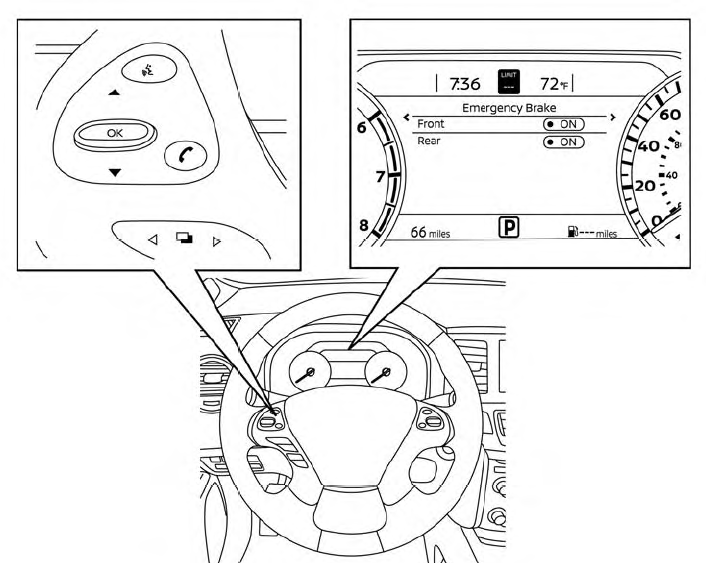
Perform the following steps to enable or disable the AEB with Pedestrian Detection system.
- Press the
 button until “Settings” displays in the vehicle information display and then press the OK button. Use the
 button to select “Driver Assistance.” Then press the OK button.
- Select “Emergency Brake” and press the OK button.
- Select “Front” and press the OK button to turn the system on or off.
When the AEB with Pedestrian Detection system is turned off, the AEB with Pedestrian Detection system warning light illuminates.
- The AEB with Pedestrian Detection system will be automatically turned on when the engine is restarted.
- The I-FCW system is integrated into the AEB with Pedestrian Detection system. There is not a separate selection in the vehicle information display for the I-FCW system. When the AEB system is turned off, the I-FCW system is also turned off.
Was this page helpful?