Trip computer
The menus and functions can be selected using the buttons on the turn signal lever 101.
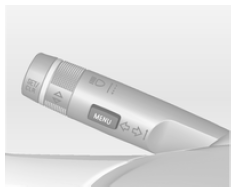
Press the MENU button to select the Trip/fuel info menu, or select on the
upper-level display combi.
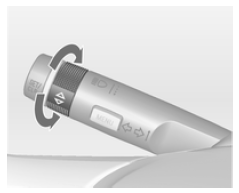
Trip/fuel information menu on the upper-level display
Turn the wheel to select one of the following submenus:
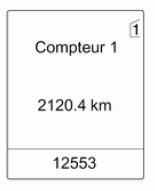
- Trip odometer 1
- Trip odometer 2
- Range
- Average fuel consumption
- Instantaneous fuel consumption
- Average speed
- Digital speed
- Traffic sign assistant
- Guide
Trip/fuel information menu on the upper-level display combi
Turn the wheel to select the following submenus:
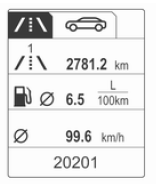 Trip
odometer 1- Average fuel consumption 1
- Average speed 1
 Trip
odometer 2- Average fuel consumption 2
- Average speed 2
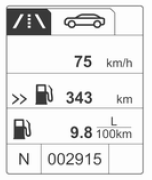 Digital
speed- Range
- Instantaneous fuel consumption
- Guide
Trip computer 1 and 2
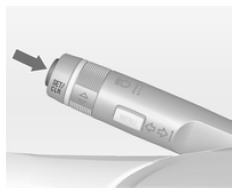
The information from both trip computers regarding the trip odometer, average fuel consumption and average speed can be reset separately by pressing the SET/CLR button, which makes it possible to display different trip information for different drivers.
Trip odometer
The trip odometer shows the distance recorded since the last reset.
The trip odometer displays a maximum distance of 2,000 km and then returns to 0.
To reset, press and hold the SET/CLR button for a few seconds.
Range
The range is calculated from the fuel tank content and the current consumption. The display shows average values.
After refuelling, the range is automatically updated after a short time.
If the fuel level in the tank is low, a message is shown on the upper-level display or the upper-level display combi, if the vehicle is equipped with it.
When refuelling is required immediately, a warning code or warning message is shown on vehicles with an upper-level display or a mid-level display or the upper-level display combi.
In addition, the indicator lights up or
flashes in the gauge 99.
Average fuel consumption
Display of average fuel consumption. The measurement can be restarted at any time and starts from a default value.
To reset, press and hold the SET/CLR button for a few seconds.
Instantaneous fuel consumption
Display of instantaneous fuel consumption.
Average speed
Display of average speed. The measurement can be restarted at any time.
To reset, press and hold the SET/CLR button for a few seconds.
Digital speed
Digital display of the instantaneous speed.
Traffic sign assistant
Shows the road signs detected on the current road section 186.
Guide
In addition to the navigation information shown on the colour information display, guidance is also shown in the driver information centre.
Test yourself
A quick Opel Insignia quiz: every answer comes with an explanation and a link to the manual page.