Monochrome display a (without wip sound)
Screen display
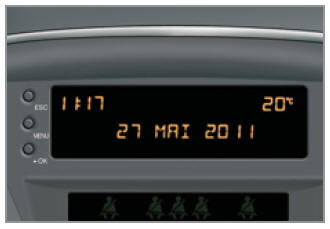
Displays the following information:
- hour,
- date,
- outside temperature * (flashes when there is a risk of black ice),
- closure check (doors, boot, ...),
- on-board computer (see end of section),
Warning messages, e.g.: "Antipollution faulty" (exhaust emission system fault), or information messages, e.g.: "Boot open", are displayed temporarily. They can be cleared by pressing the "ESC" button,
Operation
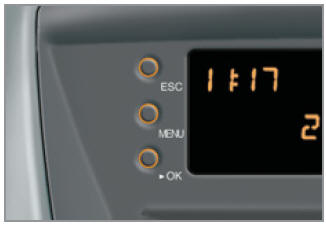
Three buttons are used to operate the display:
- "ESC" to cancel the current operation,
- "MENU" to scroll through the menu or submenu,
- "OK" to select the menu or submenu.
Main menu
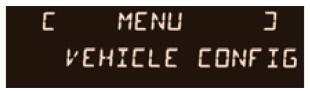
- Press the "MENU" button to scroll through the menus in the main menu:
- vehicle configuration,
- options,
- display settings,
- languages,
- units,
- Press the "OK" button to select the appropriate menu.
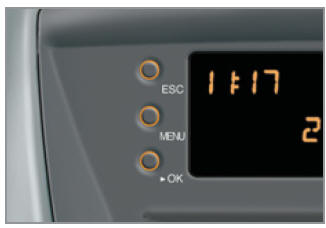
Vehicle configuration
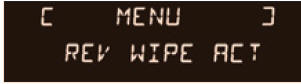
The "Confi g vehic" menu allows the following items to be switched on or off:
- wipers linked to reverse gear (see section "Visibility"),
- follow-me-home lighting (see section "Visibility"),
Options
After selecting the "Options" menu, you can open the equipment status diagnostic program (active, inactive, fault).
Display settings
The "Display Confi guration" menu gives access to the following parameters:
- year,
- month,
- day,
- hour,
- minutes,
- 12-hour or 24-hour mode.
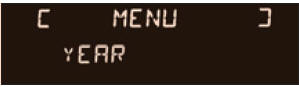
- After selecting the required parameter, press the "OK" button to change it.
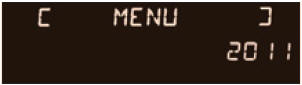
- Wait about 10 seconds to store the changed data, then press the "ESC" button to exit the menu.
The display returns to the current screen.
Languages
In the "Choice of language" menu you can select the display language (French, Italian, Dutch, Portuguese, Brazilian Portuguese, German, English, Spanish).
Units
The "International parameters" menu allows you to change the following settings:
- temperature (C or F),
- fuel consumption (l/100 km, mpg or km/l).
Test yourself
A quick Peugeot 207 quiz: every answer comes with an explanation and a link to the manual page.