Multifunction displays
Video menu (with WIP COM)
In this manual: Multifunction displays
~1min read
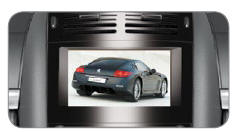
You can connect a video device (camcorder, digital camera, etc.) to the three video sockets located in the glovebox.
Video display is only possible when the vehicle is stationary.
Select the Video menu from the main menu:
- "Activate video mode" to enable/disable video,
- "Video settings" to adjust the display format, brightness, contrast and colours.
Press the "ESC" or "DARK" button to exit video.
Press the "SOURCE" button repeatedly to select an audio source other than the video source.
Test yourself
A quick Peugeot 407 quiz: every answer comes with an explanation and a link to the manual page.
Was this page helpful?