Audio & visual system
Navigation ecu
In this manual: Audio & visual system
9steps
~54min
2/5difficulty
Done 0 of 9
REPLACEMENT

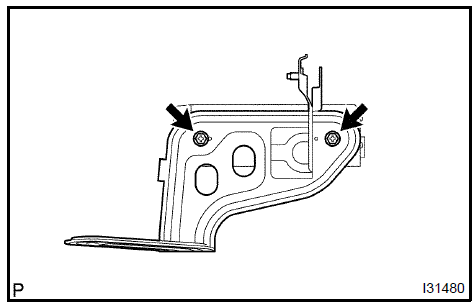
HINT: COMPONENTS:
- REMOVE LUGGAGE COMPARTMENT FLOOR MAT
- REMOVE SPARE WHEEL COVER ASSY
- REMOVE LUGGAGE COMPARTMENT SIDE COVER SUB−ASSY RH
- REMOVE LUGGAGE COMPARTMENT TRIM HOOK No.1
- REMOVE REAR FLOOR FINISH PLATE
- REMOVE LUGGAGE COMPARTMENT TRIM COVER INNER LH
- REMOVE NAVIGATION ECU
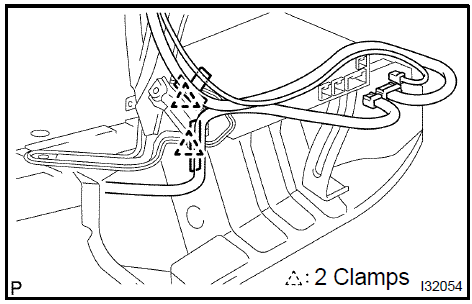
- Disconnect the connectors and remove the 2 clamps.
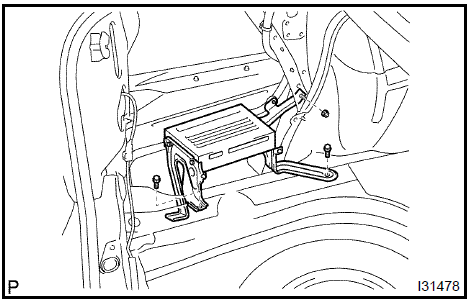
- Remove the nut and 2 bolts, then remove the navigation ECU.
- Remove the 2 screws and disc player bracket.
- Remove the 2 screws and disc player bracket No.2.
Test yourself
A quick Toyota Camry quiz: every answer comes with an explanation and a link to the manual page.
Was this page helpful?