2Az-fe charging
Cooling fan motor
In this manual: 2Az-fe charging
26steps
~156min
4/5difficulty
Done 0 of 26

On-vehicle inspection
- Inspect no. 1 Cooling fan motor
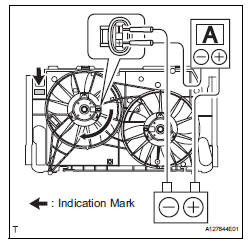
- Disconnect the no. 1 Fan connector.
- Connect the battery and ammeter to the no. 1 Fan motor connector.
- Check that the no. 1 Fan rotates smoothly, and then check the reading on the ammeter.

Hint:
Refer to the illustration for the indication mark location.
If the result is not as specified, replace the no. 1 Cooling fan motor.
- Reconnect the no. 1 Fan motor connector.
- Inspect no. 2 Cooling fan motor
- Disconnect the no. 2 Fan connector.
- Connect the battery and ammeter to the no. 2 Fan motor connector.
- Check that the no. 2 Fan rotates smoothly, and then check the reading on the ammeter.


Hint:
Refer to the illustration for the indication mark location.
If the result is not as specified, replace the no. 2 Cooling fan motor.
- Reconnect the no. 2 Fan motor connector.
- Disconnect cable from negative battery terminal
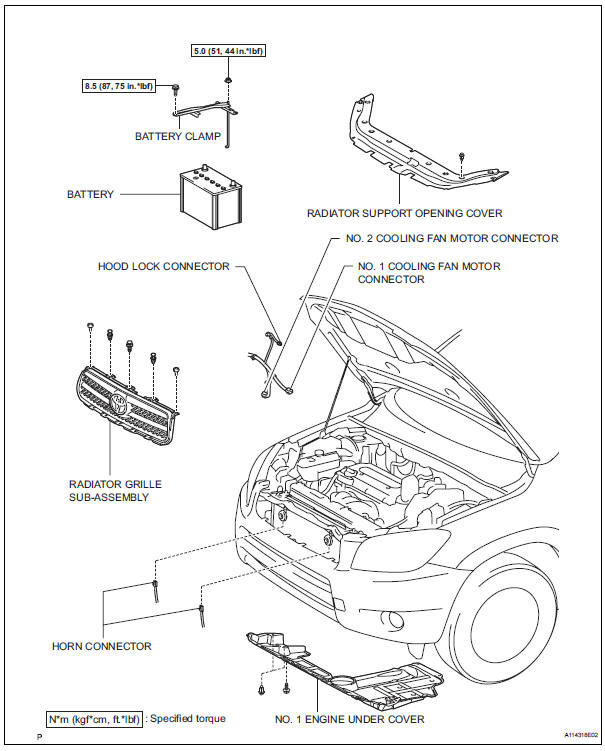
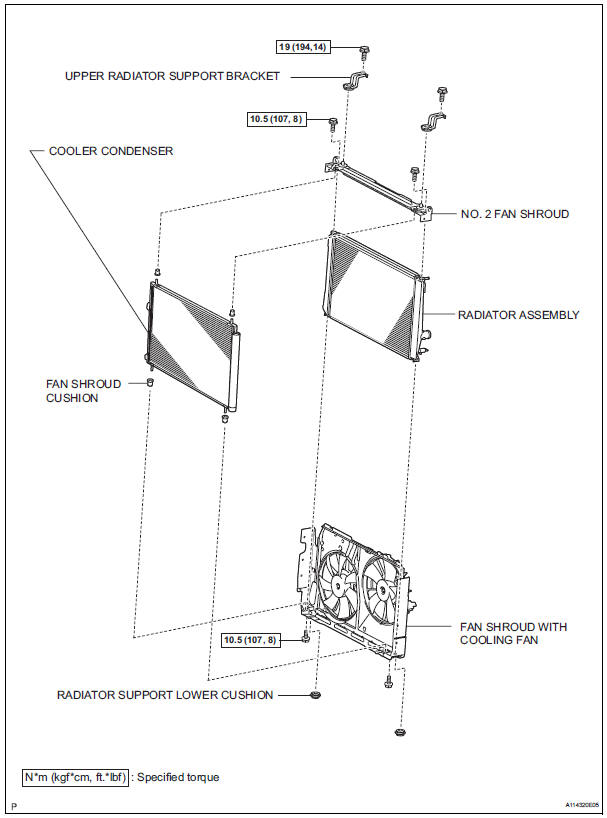
- Remove radiator assembly
- Remove the radiator (see page co-29).
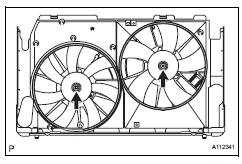
- Remove fan
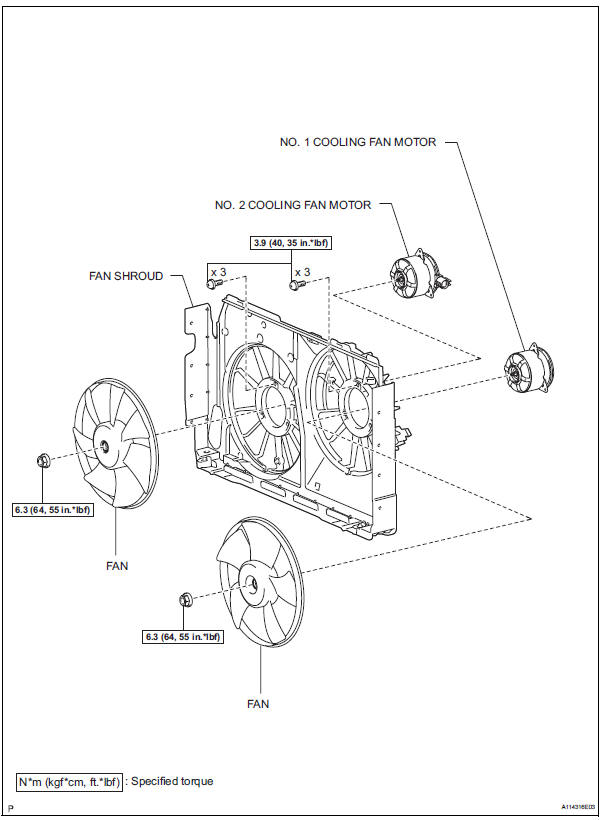
- Remove the 2 nuts and 2 fans.
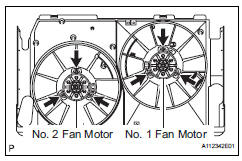
- Remove no. 1 Cooling fan motor
- Remove the 3 screws and fan motor.
- Remove no. 2 Cooling fan motor
- Remove the 3 screws and fan motor.
Reassembly
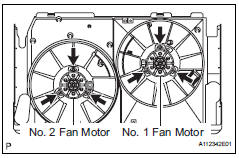
- Install no. 2 Cooling fan motor
- Install the fan motor with the 3 screws.
- Install no. 1 Cooling fan motor
- Install the fan motor with the 3 screws.
- Install fan

- Install the 2 fans with the 2 nuts.
- Install radiator assembly
- Install the radiator (see page co-32).
- Connect cable to negative battery terminal
- Add engine coolant (see page co-6)
- Add engine coolant (see page co-6)
Test yourself
A quick Toyota RAV4 quiz: every answer comes with an explanation and a link to the manual page.
Was this page helpful?