Can communication
Diagnosis system
In this manual: Can communication
2steps
~12min
1/5difficulty
Done 0 of 2
1. BUS CHECK
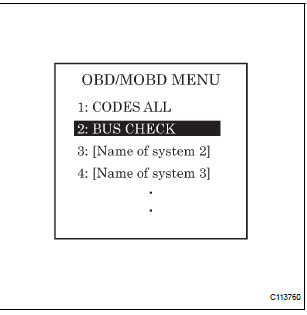
- Select "BUS CHECK" from the "OBD/MOBD MENU" screen.
HINT: The ECUs and sensors that are properly connected to the CAN communication system can be displayed using the intelligent tester via the CAN VIM.
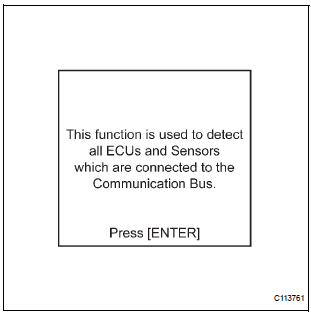
- Press "ENTER" on the intelligent tester.
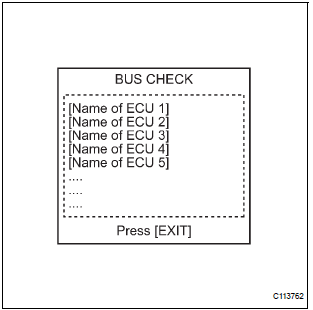
- The screen displays the ECUs and sensors that are properly connected to the CAN communication system.
HINT: Properly connected ECUs or sensors that are not displayed on the screen indicate that a communication stop is occuring in the system, sensor, or ECU which is not displayed.
2. CHECK FOR INSTALLED SYSTEMS (ECUS AND SENSORS) THAT USE CAN COMMUNICATION
- Systems (ECUs, sensors) that use CAN communication vary depending on the vehicle's optional equipment. Check which systems (ECUs, sensors) are installed on the vehicle.

HINT:
- *1: with VSC
- *2: with Dynamic laser cruise control
3. DTC TABLE BY ECU
HINT:
- For the CAN communication system, CAN communication system DTCs stored in certain ECUs can be displayed using the intelligent tester.
- If CAN communication system DTCs are output, trouble cannot be determined only by the DTCs.
Perform troubleshooting according to "CHECK CAN BUS LINE" (See page CA-35).
- Skid control ECU (with VSC)
HINT: DTC communication uses the CAN communication system.

- ECM (with Dynamic laser cruise control)
HINT:
- DTC communication uses the CAN communication system.
- Distance control ECU data is output.
- Displayed on the "communication malfunction DTCs" screen of the intelligent tester. If U0235 or U1102 is output alone, the CAN communication is normal

- Gateway ECU
HINT: The network gateway ECU is connected to the CAN communication system, but CAN communication DTCs are not output.
4. DTCS COMBINATION TABLE

HINT: *1: with Dynamic laser cruise control
Test yourself
A quick Toyota Sienna quiz: every answer comes with an explanation and a link to the manual page.
Was this page helpful?