Using a Bluetooth phone
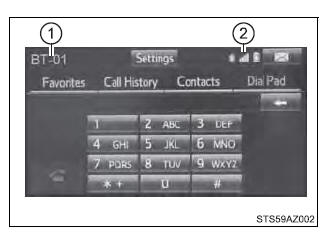
| The hands-free system is a function that allows you to use your cellular phone without touching it. This system supports Bluetooth. Bluetooth is a wireless data system that allows the cellular phone to wirelessly connect to the hands-free system and make/receive calls. Before making a phone call, check the connection status, battery charge, call area and signal strength. If a Bluetooth device cannot be connected, check the connection status on the phone screen. If the device is not connected, either register or reconnect it. Phone screenTo display the screen shown below, press the Several functions are available to operate on each screen that is displayed by selecting the 4 tabs.
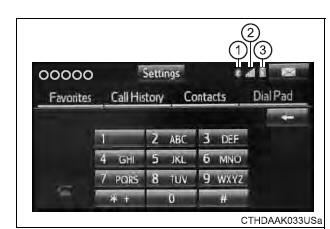
■ Microphone The vehicle's built in microphone is used when talking on the phone. The person you are speaking to can be heard from the front speakers.  To use the hands-free system, you must register your Bluetooth phone in the system. Status displayYou can check indicators such as signal strength and battery charge on any screen.
|
 switch on the steering wheel or press the
 button.