Audio
Sélection du dossier
Dans ce manuel : Audio
~1min de lecture
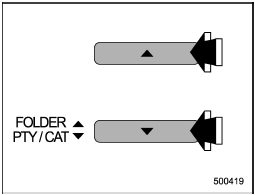
Audio de types A et B
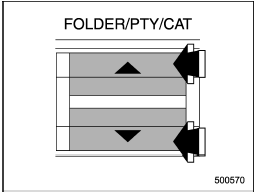
Audio de type C
Appuyez sur le bouton «  ” de la touche « FOLDER/PTY/CAT » brièvement pour sélectionner le dossier suivant. Appuyez sur la partie «
 ” de la touche brièvement pour revenir au dossier précédent.
Pour les audios de type A et B, le titre du dossier s'affiche à chaque pression sur l'une des touches.
• Seuls les dossiers MP3/WMA/AAC sont reconnus lors d'une tentative de sélection du dossier suivant ou précédent. Si aucun dossier approprié n'existe sur le disque, appuyer sur la partie « » ou « ” de la touche « FOLDER/PTY/CAT » lance la lecture à partir de la première piste/du premier fichier.
Testez-vous
Un quiz rapide sur Subaru Impreza : chaque réponse est expliquée, avec un lien vers la page du manuel.
Cette page vous a-t-elle été utile ?