PDC with display indication
Changes in the distance to an obstacle can be observed on the control display.
Distant obstacles are shown on the display before the audible signal sounds.
This setting is stored in the memory for the key currently in use.
If equipped with a rear view camera, see
subsection Display.
For principles of iDrive operation, refer to.
1. Press the button .
The main menu opens.
2. Press the controller to open the menu .
3. Select "Settings" and press the controller.
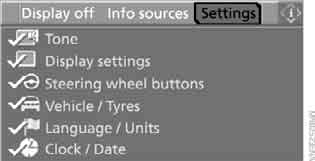
4. Select "Vehicle / Tyres" and press the controller.
5. Move to the upper field. Turn the controller to select "Manoeuvring aids" and press the controller.
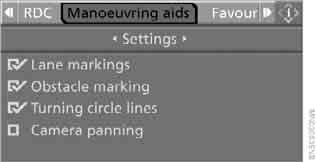
6. Turn the controller to select "Picture combinations" and press the controller.
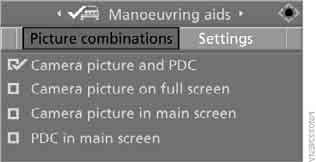
7. Select "PDC in main screen" and press the controller.
 PDC display is switched on.
The image appears on the control display after the PDC system is switched on.
Test yourself
A quick BMW X3 quiz: every answer comes with an explanation and a link to the manual page.