Via iDrive
1. Select "FM" or "AM" and press the controller.
2. Move to the second field from the top.
Turn the controller to select the criteria and press the controller.
3. Select the desired frequency (radio station).
"Set" is highlighted.
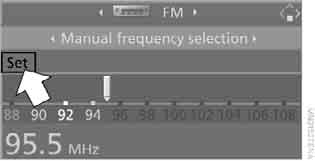
4. Press the controller.
The following menu items appear on the screen.
5. Select "Save" and press the controller.
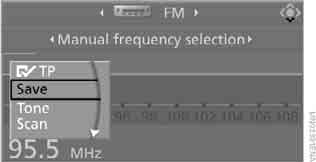
The "Memorised stations" display appears.
6. Turn the controller to select the memory channel.
7. Press the controller.
The radio station is stored.
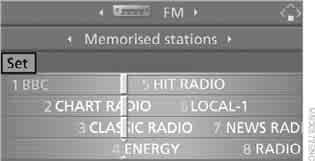
After a short time, the radio stations matching the previously selected criterion are shown on the display again.
With the radio or ignition switched on, stations are programmed for the key currently in use.
Test yourself
A quick BMW X3 quiz: every answer comes with an explanation and a link to the manual page.