Entertainment
Selecting a Traffic Channel
In this manual: Entertainment
~1min read
1. Press the button .
The main menu opens.
2. Press the controller to open the menu .
3. Turn the controller to select "Settings" and press the controller.
4. Turn the controller to select "Traffic information settings" and press the controller.
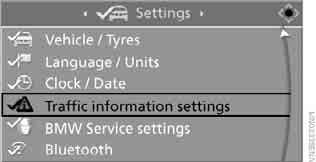
5. Move to the upper field. Turn the controller to select "TP" and press the controller.
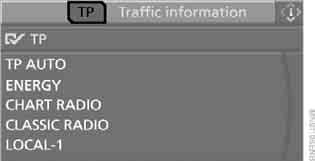
6. Select a traffic channel and press the controller.
"TP AUTO": the station with the best reception is selected automatically.
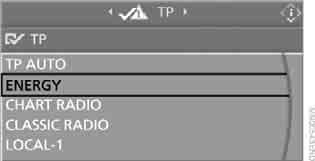
 The traffic programme is switched on.
When you select a radio station that broadcasts traffic information, the traffic programme is switched on automatically.
Test yourself
A quick BMW X3 quiz: every answer comes with an explanation and a link to the manual page.
Was this page helpful?